> ## Documentation Index
> Fetch the complete documentation index at: https://docs.macstadium.com/llms.txt
> Use this file to discover all available pages before exploring further.
# Checking the Firewall Version
> Find your Cisco ASA/ASAv software version and device model in ASDM-IDM or the CLI. Needed before downloading VPN configs or filing a support ticket.
Sometimes, it is necessary to know the exact model of the Cisco ASA/ASAv device and its software version. For example, when downloading the VPN configuration file from Amazon, the following information is required: vendor, platform, and software version of the firewall device.
## Check model and version in Cisco ASDM-IDM
1. Verify login [logged in to your firewall](/iaas/cisco-firewalls/logging-into-cisco-firewall).
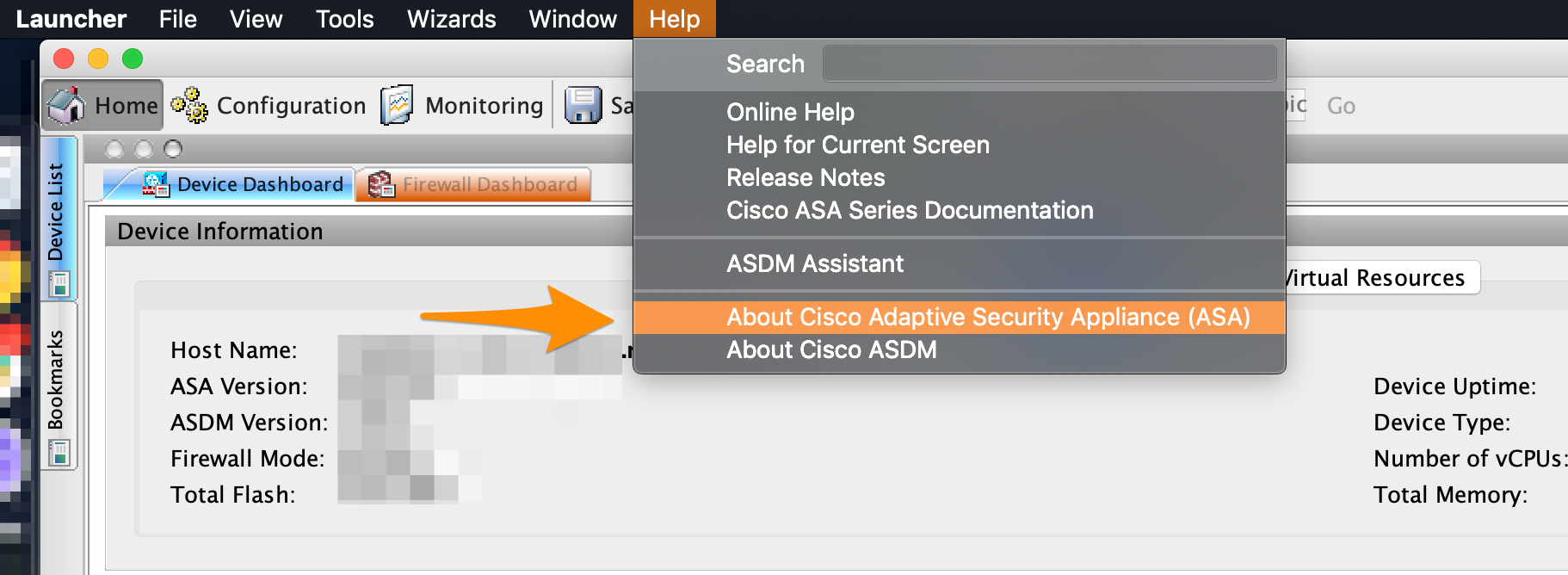
2. In the menu bar of the running Cisco ASDM-IDM, select Help > About Cisco Adaptive Security Appliance (ASA).\\
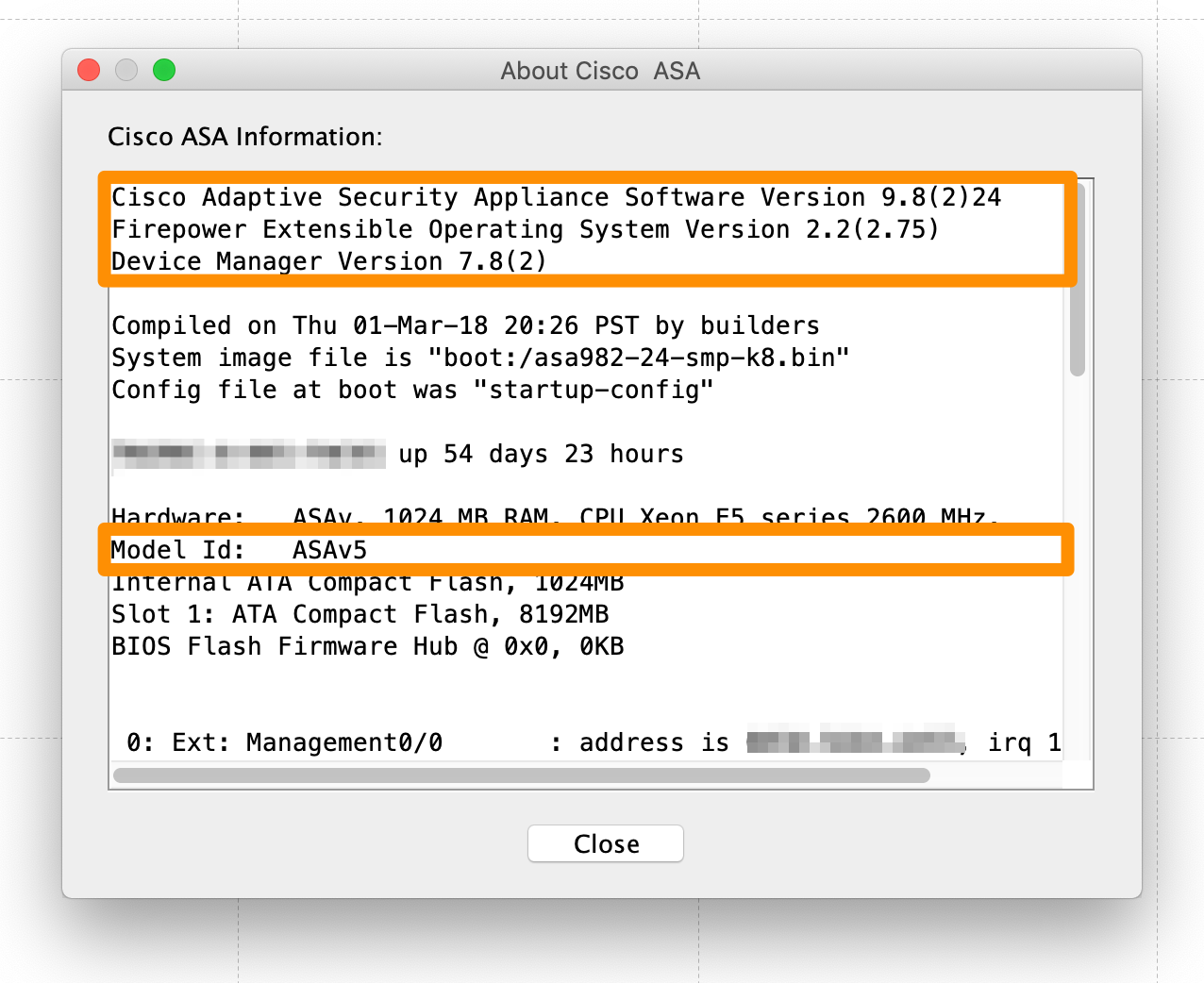
 3. In the pop-up window, look for the following information:
* Cisco Adaptive Security Appliance Software Version: Lists the software version of the firewall. For example: 9.8(2)24.
* Device Manager Version: Lists the software version of the Cisco ASDM-IDM interface. For example: 7.8(2).
* Model Id: Lists the device model. For example: ASAv5.
3. In the pop-up window, look for the following information:
* Cisco Adaptive Security Appliance Software Version: Lists the software version of the firewall. For example: 9.8(2)24.
* Device Manager Version: Lists the software version of the Cisco ASDM-IDM interface. For example: 7.8(2).
* Model Id: Lists the device model. For example: ASAv5.
 ## Check model and version in the CLI
1. Verify login logged in to your firewall.
2. In the Cisco CLI, run the following command:\
`show version`
3. In the command response, look for the following information:
* Cisco Adaptive Security Appliance Software Version: Lists the software version of the firewall. For example: 9.8(2)24.
* Device Manager Version: Lists the software version of the Cisco ASDM-IDM interface. For example: 7.8(2).
* Model Id: Lists the device model. For example: ASAv5.
## Check model and version in the CLI
1. Verify login logged in to your firewall.
2. In the Cisco CLI, run the following command:\
`show version`
3. In the command response, look for the following information:
* Cisco Adaptive Security Appliance Software Version: Lists the software version of the firewall. For example: 9.8(2)24.
* Device Manager Version: Lists the software version of the Cisco ASDM-IDM interface. For example: 7.8(2).
* Model Id: Lists the device model. For example: ASAv5.