> ## Documentation Index
> Fetch the complete documentation index at: https://docs.macstadium.com/llms.txt
> Use this file to discover all available pages before exploring further.
# 3. AWS Orka Side of the VPN Tunnel
> Apply the prepared AWS VPN config to your Orka Cisco ASAv via ASDM-IDM. Completes the Orka side of the AWS site-to-site IPsec tunnel.
How to set up the Orka side of your AWS-Orka tunnel to enable two-way access between your AWS and Orka VMs.
**Before you begin:** You need an active VPN connection to your Orka cluster, your Cisco ASAv connection information from the [IP Plan](/macstadium/macstadium-overview/ip-plan), and the downloaded and prepared [VPN configuration file](/orka/networking-with-orka-at-macstadium/2-aws-vpn-tunnel-configuration-file).
After you [have created your VPN tunnel in Amazon](/orka/networking-with-orka-at-macstadium/1-aws-side-of-the-vpn-tunnel) and you [have prepared the configuration file](/orka/networking-with-orka-at-macstadium/2-aws-vpn-tunnel-configuration-file), you need to apply the configuration to the Cisco ASAv in your Orka cluster.
1. [Run Cisco ASDM-IDM and log in.](/iaas/cisco-firewalls/logging-into-cisco-firewall)
2. In the Cisco ASDM-IDM application toolbar, select **Tools** > **Command Line Interface...**.
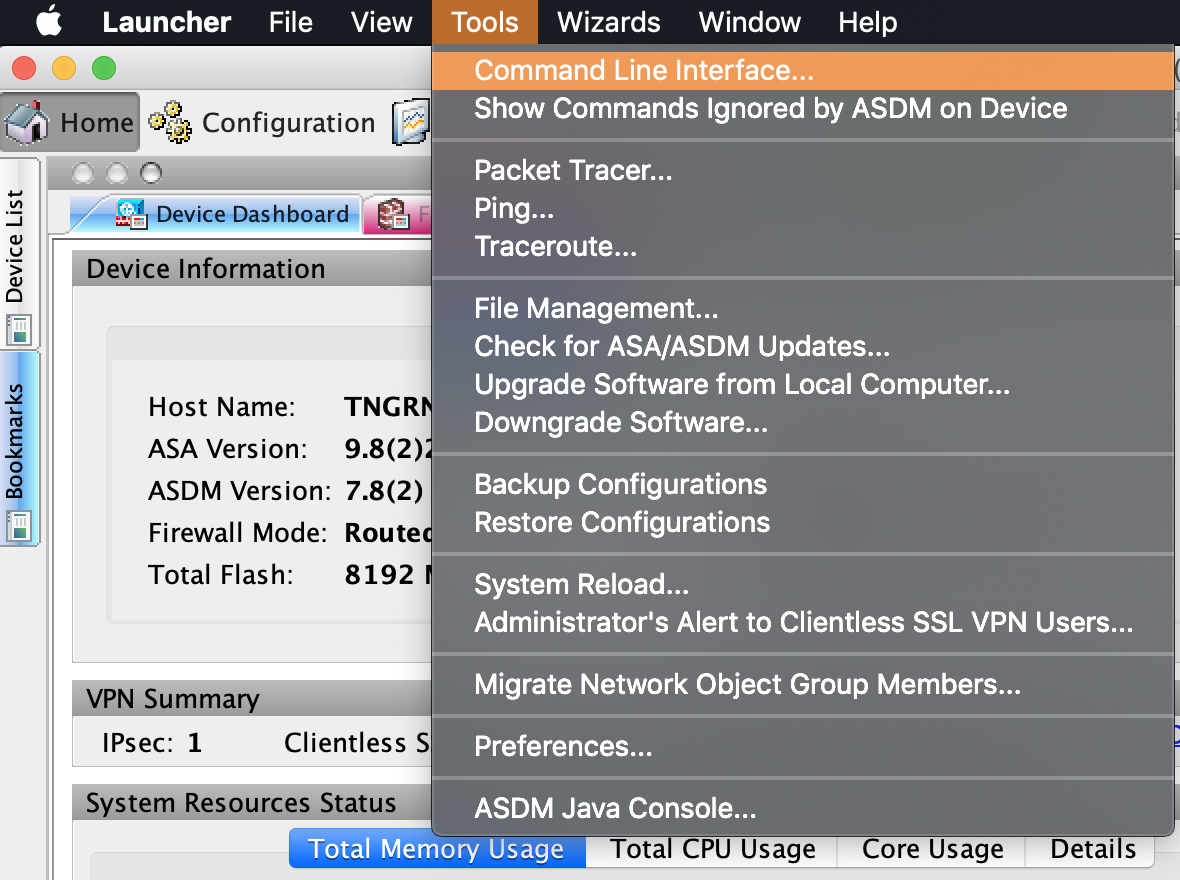 3. Select **Multiple Line**.
4. Type [configure terminal](https://www.cisco.com/c/m/en_us/techdoc/dc/reference/cli/n5k/commands/configure-terminal.html), press `Enter`, and paste the contents of the [prepared VPN configuration file](/orka/networking-with-orka-at-macstadium/2-aws-vpn-tunnel-configuration-file).
5. Click **Send**.
3. Select **Multiple Line**.
4. Type [configure terminal](https://www.cisco.com/c/m/en_us/techdoc/dc/reference/cli/n5k/commands/configure-terminal.html), press `Enter`, and paste the contents of the [prepared VPN configuration file](/orka/networking-with-orka-at-macstadium/2-aws-vpn-tunnel-configuration-file).
5. Click **Send**.