> ## Documentation Index
> Fetch the complete documentation index at: https://docs.macstadium.com/llms.txt
> Use this file to discover all available pages before exploring further.
# What's new in Orka Desktop 3.1.0
> Orka Desktop 3.1.0 adds macOS 26 Tahoe guest image support, updated OCI image format compatibility, local storage mounting, and shared clipboard.
We are excited to announce the latest [Orka Desktop 3.1.0](https://github.com/macstadium/orka-desktop/releases/tag/3.1.0) release, which includes the following new features and improvements: Support for macOS 26 guest images, updated OCI image format compatibility, local storage mounting accessible from within the Orka Desktop UI, and shared clipboard functionality.
## New Features
### macOS 26 Tahoe guest image support:
#### Key capabilities:
Orka Desktop 3.1.0 brings with it support for running macOS 26 Tahoe guest VM images. This allows Orka Desktop users to start using Tahoe guest images for their VMs.
#### Getting started:
Get started with Tahoe by downloading the latest Tahoe image from [OrkaHub](https://orkahub.com/), or our [Tahoe package](https://github.com/orgs/macstadium/packages/container/package/orka-images%2Ftahoe) in the MacStadium orka-images repository on GitHub. You can run Tahoe guest VMs using the Orka CLI or Orka Desktop.
#### Technical requirements:
* A Sequoia 15.5+ host is required in order to run a macOS Tahoe 26 guest image.
* Orka does not currently officially support running Tahoe on a host machine. We will support macOS 26 hosts in the upcoming Orka 3.6.0 release.
### Improvements
* Clipboard sharing is now supported
* Clipboard sharing and host folder sharing features both require Orka VM tools v3.5.0 to be installed in the VM
* Available via [brew](https://formulae.brew.sh/cask/orka-vm-tools) or direct download at: [https://orka-tools.s3.us-east-1.amazonaws.com/orka-vm-tools/official/3.5.0/orka-vm-tools.pkg](https://orka-tools.s3.us-east-1.amazonaws.com/orka-vm-tools/official/3.5.0/orka-vm-tools.pkg)
* Local storage mounting is available via the Orka Desktop UI
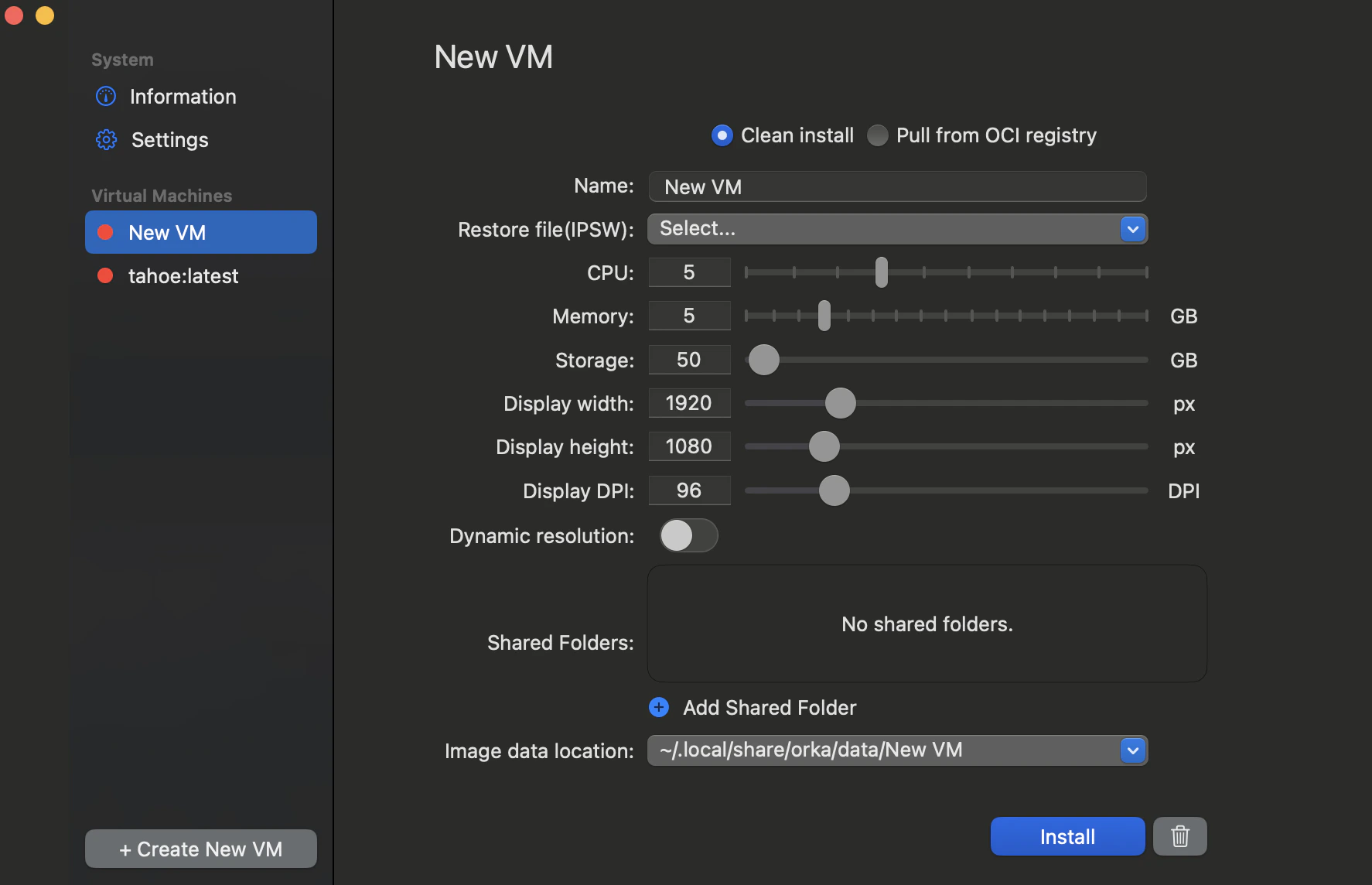 * An updated OCI image format is now supported
### Known issues
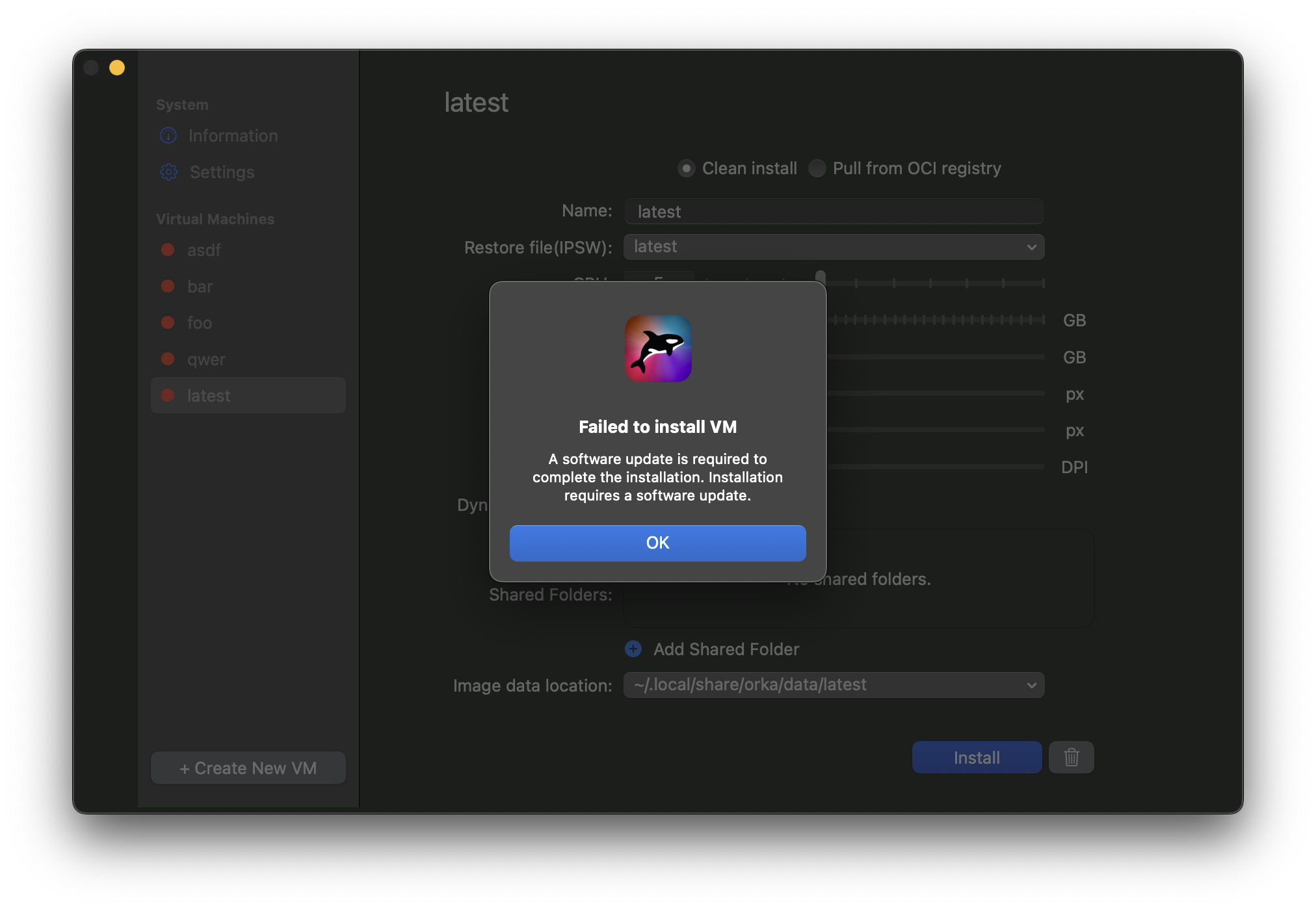
When running macOS 15.6.1 and attempting to install a VM from the “latest” IPSW using Orka Desktop, the VZ API downloads the macOS 26 Tahoe IPSW. However, the installation fails with a popup message urging users to update the software.
* An updated OCI image format is now supported
### Known issues
When running macOS 15.6.1 and attempting to install a VM from the “latest” IPSW using Orka Desktop, the VZ API downloads the macOS 26 Tahoe IPSW. However, the installation fails with a popup message urging users to update the software.
 #### Workarounds:
* macOS 15.6.1 users can resolve this issue using any of the following workarounds:
* Install XCode 26 - This enables Tahoe VM installation with Orka Desktop
* Download a specific IPSW - Manually select an IPSW instead of using “latest”
* Upgrade your host machine - Update your host machine to macOS Tahoe
### Bug fixes
* VMs now duplicate correctly
* Orka Desktop no longer sporadically crashes when pushing/pulling an image from an OCI repository
* Dynamic resolution and DPI settings are now retained after pulling an image
#### Workarounds:
* macOS 15.6.1 users can resolve this issue using any of the following workarounds:
* Install XCode 26 - This enables Tahoe VM installation with Orka Desktop
* Download a specific IPSW - Manually select an IPSW instead of using “latest”
* Upgrade your host machine - Update your host machine to macOS Tahoe
### Bug fixes
* VMs now duplicate correctly
* Orka Desktop no longer sporadically crashes when pushing/pulling an image from an OCI repository
* Dynamic resolution and DPI settings are now retained after pulling an image