> ## Documentation Index
> Fetch the complete documentation index at: https://docs.macstadium.com/llms.txt
> Use this file to discover all available pages before exploring further.
# Apple Business Manager and MDM with MacStadium
> How Apple Business Manager and MDM tools like Jamf and Intune integrate with MacStadium for bare metal Mac and Orka host enrollment.
To support IT management activities for MacStadium customers, it is important to understand the interaction and constraints between Apple Business Manager (ABM) and common Mobile Device Management (MDM) or Unified Endpoint Management (UEM) tools.
This page covers host-level enrollment through Apple Business Manager, which applies to bare metal Macs and Orka host machines. macOS VMs provisioned by Orka can't be registered with ABM directly. See [MDM enrollment for MacStadium VDI desktops](/remote-desktop-vdi/configuration/mdm-enrollment) for the VM enrollment workflow instead.
## Key concepts
**ABM** is the Apple tool that enables an organization to register their Mac devices with their organization.
**MDM/UEM tools** enable enterprise configuration and management of Mac devices. Integration with ABM can enable scalable workflows such as auto-enrollment of new and existing ABM devices to the MDM/UEM directory. Common examples of MDM/UEM tools are Jamf, Kandji, Workspace ONE, and Microsoft Intune.
When ABM is paired with an MDM/UEM platform, organizations can deploy, configure, and manage Mac devices across the enterprise with consistent policy enforcement and zero-touch provisioning.
## Registering your MacStadium devices
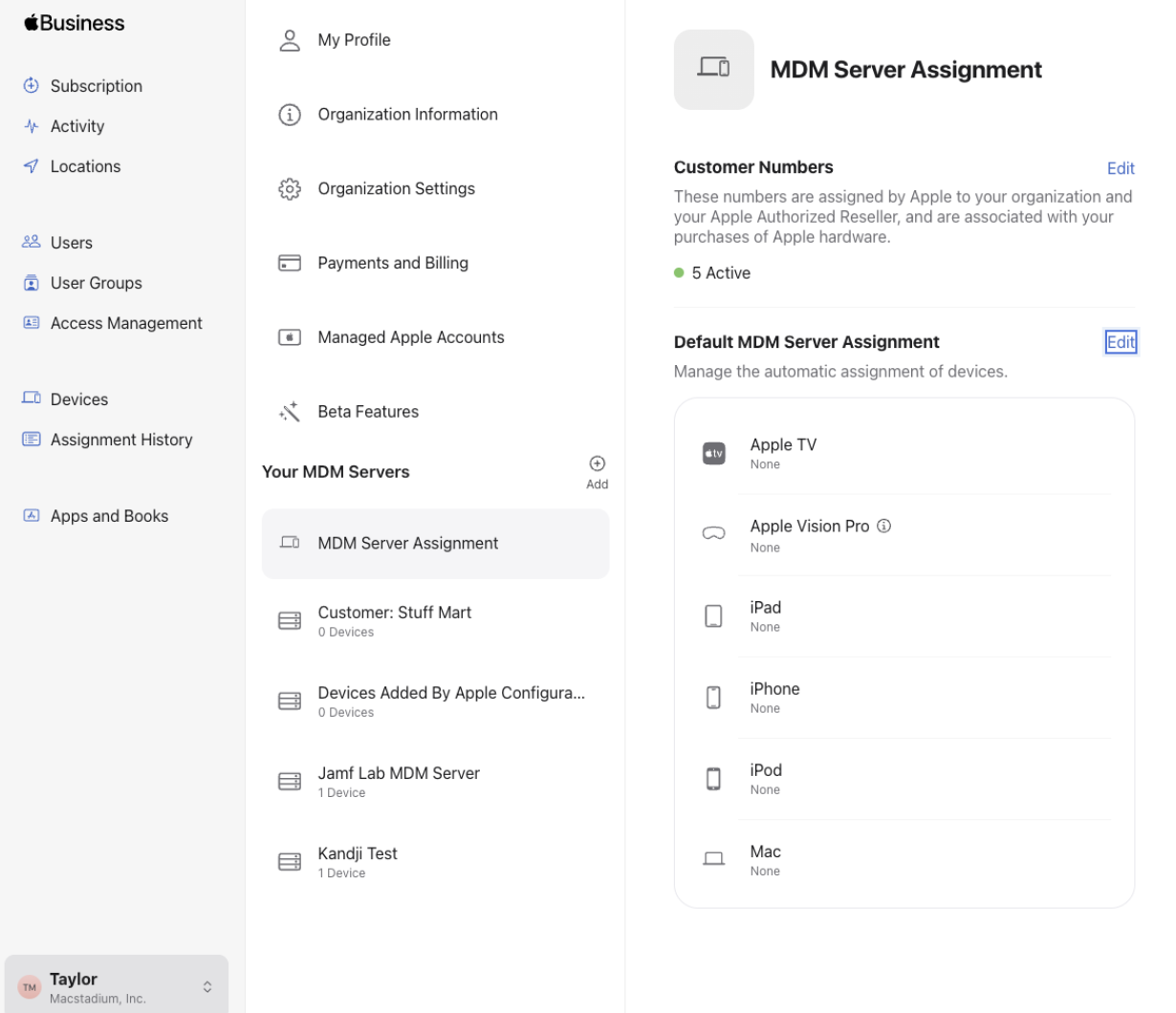
This is different from a standard ABM setup. Normally, your organization owns the ABM instance and assigns devices to your MDM server directly. On MacStadium, MacStadium owns the ABM registration for your hardware, and you connect your MDM server to it through a token exchange.
MacStadium creates an MDM Server entry for your account inside MacStadium's own Apple Business Manager instance.
Retrieve the public key from your MDM platform (Jamf, Kandji, Workspace ONE, or Intune) and send it to your MacStadium account team.
MacStadium generates a token from your public key and sends it back to you.
Upload the token to your MDM platform to link it to the MDM Server entry MacStadium created in ABM.
Once the token is installed, MacStadium adds your MacStadium Apple hardware to the ABM MDM Server record.
From that point on, every Apple server added to this ABM MDM Server auto-enrolls into your MDM platform automatically.
## Supported MDM/UEM platforms
The following table lists the MDM/UEM platforms supported with MacStadium.
| Tool | Notable features |
| ---------------- | ------------------------------------------------------------------------ |
| Jamf Pro | Deep Apple platform integration, customizable scripts, AppConfig support |
| Kandji | Pre-built automation library ("Blueprints"), strong security posture |
| Workspace ONE | Cross-platform UEM, identity and access control |
| Microsoft Intune | Integrated with Microsoft 365 ecosystem, Azure AD compliance policies |
## Learn more about Apple Business Manager
This page covers how ABM and MDM/UEM integration work specifically on MacStadium. For general background on Apple Business Manager itself (Automated Device Enrollment, Volume Purchase Program, Managed Apple IDs, and Federated Authentication), see [Apple's Business Manager documentation](https://support.apple.com/guide/apple-business-manager/welcome/web).
## Get started
Interested in evaluating how MacStadium's offerings work together with MDM, UEM, and ABM to solve your business needs? [Contact us for a consultation specific to your implementation.](https://www.macstadium.com/contact-sales)
Want to learn more about deploying Citrix VDA for macOS on MacStadium? See [Citrix DaaS configuration](/remote-desktop-vdi/configuration/citrix-daas-configuration).