

This page covers host-level enrollment through Apple Business Manager, which applies to bare metal Macs and Orka host machines. macOS VMs provisioned by Orka can’t be registered with ABM directly. See MDM enrollment for MacStadium VDI desktops for the VM enrollment workflow instead.
Key concepts
ABM is the Apple tool that enables an organization to register their Mac devices with their organization. MDM/UEM tools enable enterprise configuration and management of Mac devices. Integration with ABM can enable scalable workflows such as auto-enrollment of new and existing ABM devices to the MDM/UEM directory. Common examples of MDM/UEM tools are Jamf, Kandji, Workspace ONE, and Microsoft Intune. When ABM is paired with an MDM/UEM platform, organizations can deploy, configure, and manage Mac devices across the enterprise with consistent policy enforcement and zero-touch provisioning.Registering your MacStadium devices
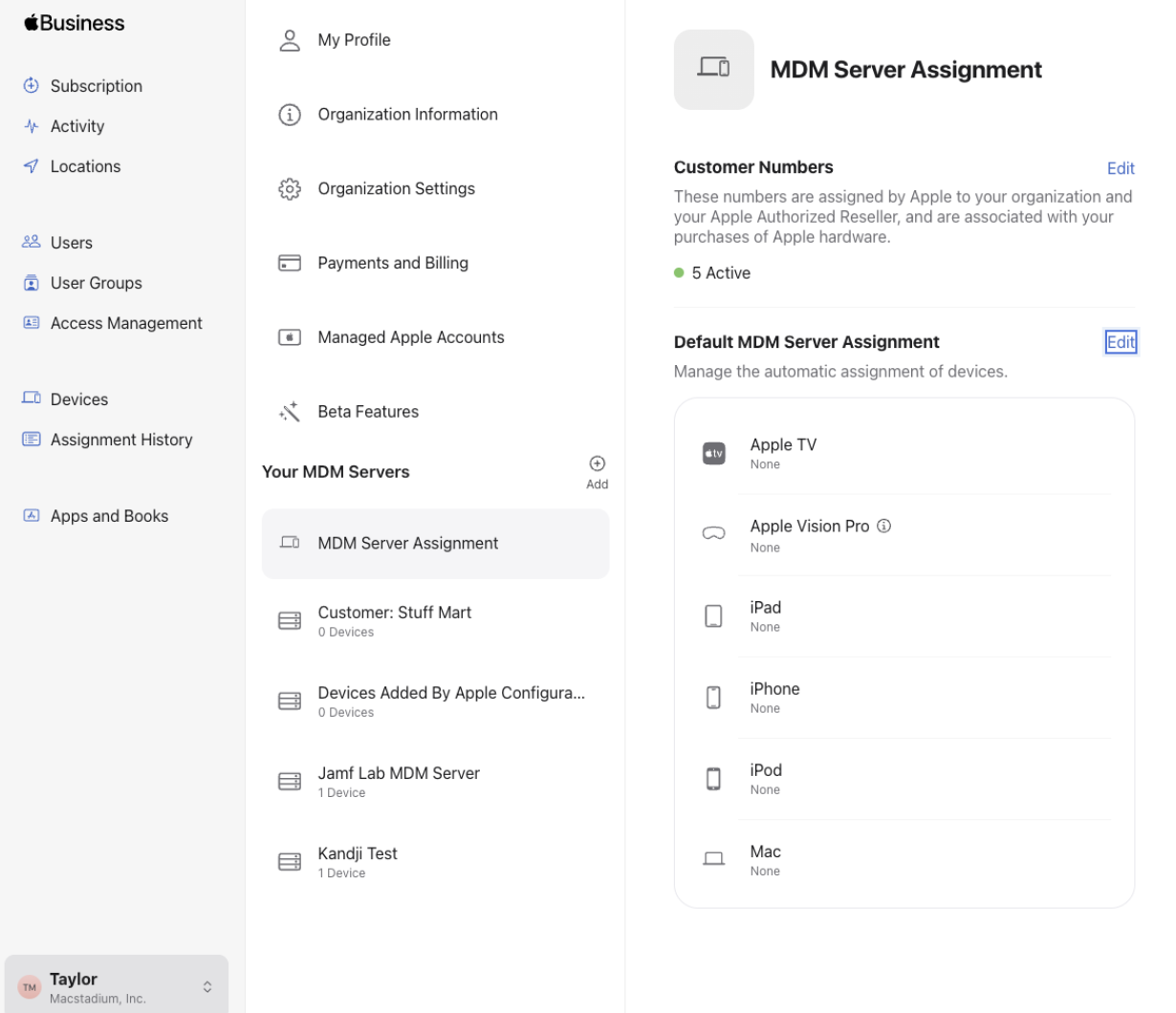 This is different from a standard ABM setup. Normally, your organization owns the ABM instance and assigns devices to your MDM server directly. On MacStadium, MacStadium owns the ABM registration for your hardware, and you connect your MDM server to it through a token exchange.
1
MacStadium creates your MDM Server entry
MacStadium creates an MDM Server entry for your account inside MacStadium’s own Apple Business Manager instance.
2
Send MacStadium your MDM server's public key
Retrieve the public key from your MDM platform (Jamf, Kandji, Workspace ONE, or Intune) and send it to your MacStadium account team.
3
MacStadium generates an ABM MDM Server Token
MacStadium generates a token from your public key and sends it back to you.
4
Install the token in your MDM server
Upload the token to your MDM platform to link it to the MDM Server entry MacStadium created in ABM.
5
MacStadium adds your Apple servers to the ABM MDM
Once the token is installed, MacStadium adds your MacStadium Apple hardware to the ABM MDM Server record.
6
Devices auto-enroll
From that point on, every Apple server added to this ABM MDM Server auto-enrolls into your MDM platform automatically.