After you have created your site-to-site VPN connection in Microsoft Azure, you need to configure your Cisco firewall to recognize the connection and let traffic into your MacStadium private cloud. You can use the configuration template provided below and fill in the missing information. You need to provide data from both Azure and MacStadium.

Configuration template

IMPORTANT : Unless you have extensive experience with Azure and ASA/ASAv configurations, use the configuration from the template. Otherwise, your site-to-site VPN might not work as expected. This is a template configuration that you can use to complete the configuration of your Azure-MacStadium site-to-site VPN connection.
! #1: Placeholders  
!  
! { azure_network_address } - The IP address of the virtual network in Azure that needs to have access to MacStadium.   
! { azure_network_mask } - The subnet mask of the virtual network in Azure that needs to have access to MacStadium.   
! { macstadium_network_address } - The IP address of the private network in MacStadium that needs to be accessed by Azure. By default, this is Private-1.  
! { macstadium_network_mask } - The subnet mask of the private network in MacStadium that needs to be accessed by Azure. By default, this is Private-1.  
! { macstadium_network_name } - The name of the private network in MacStadium that needs to be accessed by Azure. By default, this is Private-1.  
! { macstadium_outside_interface } - The name of the outside interface of your Cisco ASA/ASAv device. By default, this is Outside.  
! { azure_virtual_network_gateway_ip } - The public IP assigned to the virtual network gateway in Azure.  
! { shared_key } - The IPSec pre-shared key used when creating the VPN connection in Azure.  
!  
! #2: NAT exemption  
!  
! The name "AZURE-NET" must be unique for the Cisco ASA/ASAv device.  
  
object-group network AZURE-NET  
description Azure Virtual Network  
network-object { azure_network_address } { azure_network_mask }  
  
! The name "ONPREM-NET" must be unique for the Cisco ASA/ASAv device.  
  
object-group network ONPREM-NET  
description OnPrem Network  
network-object { macstadium_network_address } { macstadium_network_mask }  
  
! The name "AZURE-VPN-ACL" must be unique for the Cisco ASA/ASAv device.  
  
access-list AZURE-VPN-ACL extended permit ip object-group ONPREM-NET object-group AZURE-NET  
  
nat ({ macstadium_network_name },{ macstadium_outside_interface }) 1 source static ONPREM-NET ONPREM-NET destination static AZURE-NET AZURE-NET  
  
! #3: IKE configuration  
  
crypto ikev1 enable { macstadium_outside_interface }  
crypto ikev1 policy 5  
authentication pre-share  
encryption aes-256  
hash sha  
group 2  
lifetime 28800  
exit  
  
crypto ipsec ikev1 transform-set azure-ipsec-proposal-set esp-aes-256 esp-sha-hmac  
crypto ipsec security-association lifetime seconds 3600  
crypto ipsec security-association lifetime kilobytes 102400000  
  
tunnel-group { azure_virtual_network_gateway_ip } type ipsec-l2l  
tunnel-group { azure_virtual_network_gateway_ip } ipsec-attribute  
ikev1 pre-shared-key { shared_key }  
  
! #4: IPSec configuration  
! The name "azure-crypto-map" must be unique for the Cisco ASA/ASAv device.  
  
crypto map azure-crypto-map 1 match address AZURE-VPN-ACL  
crypto map azure-crypto-map 1 set peer { azure_virtual_network_gateway_ip }  
crypto map azure-crypto-map 1 set ikev1 transform-set azure-ipsec-proposal-set  
crypto map azure-crypto-map interface { macstadium_outside_interface }  
sysopt connection tcpmss 1350  
sysopt connection preserve-vpn-flows

Fill in the configuration blanks

You need to manually replace the placeholders in the configuration template with the values for your Azure and MacStadium configurations.

Get the configuration values

{ azure_network_address } This is the IP address of the virtual network in Azure that needs to have access to MacStadium.
  1. Verify that you’re logged into the Azure portal for your subscription.
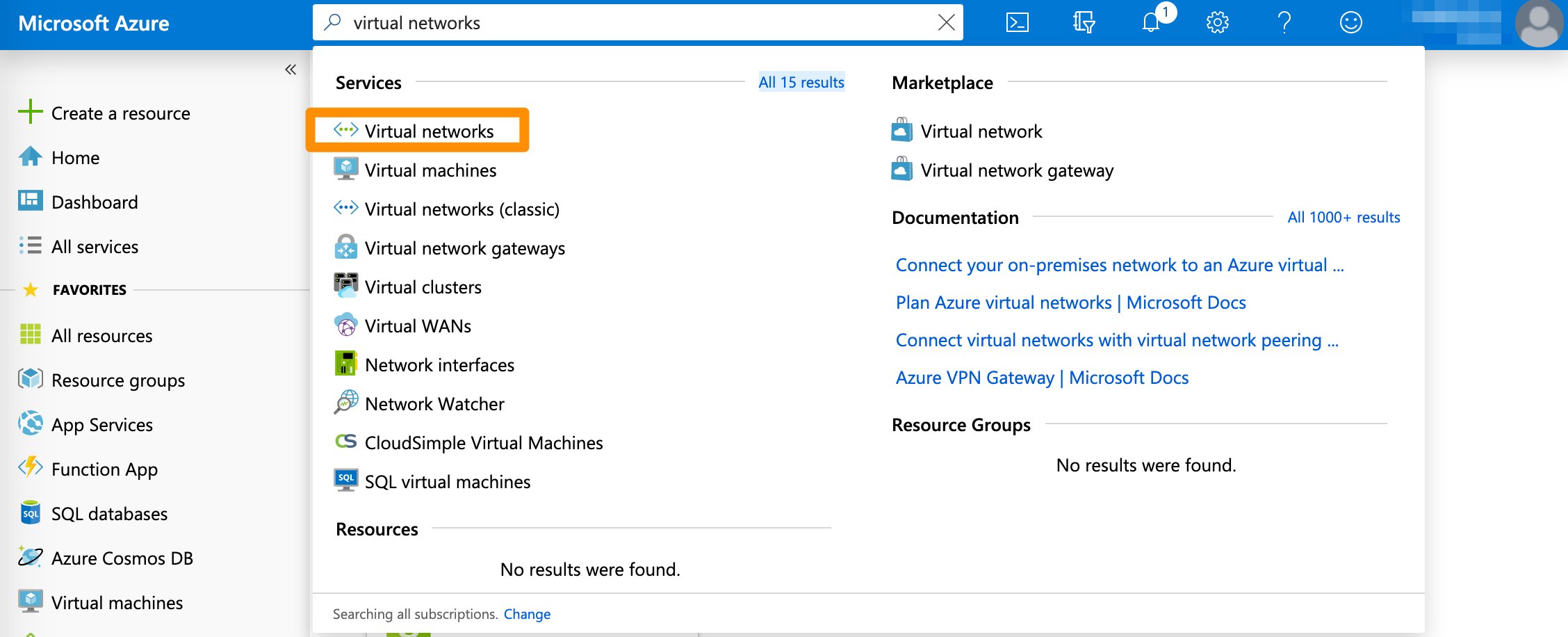
  2. In the search box at the top of the screen, type Virtual networks and select the respective entry in the filtered search results.
    95cc3cc-select-virtual-networks_1.png
  3. On the Virtual networks screen, select the virtual network used in your VPN.
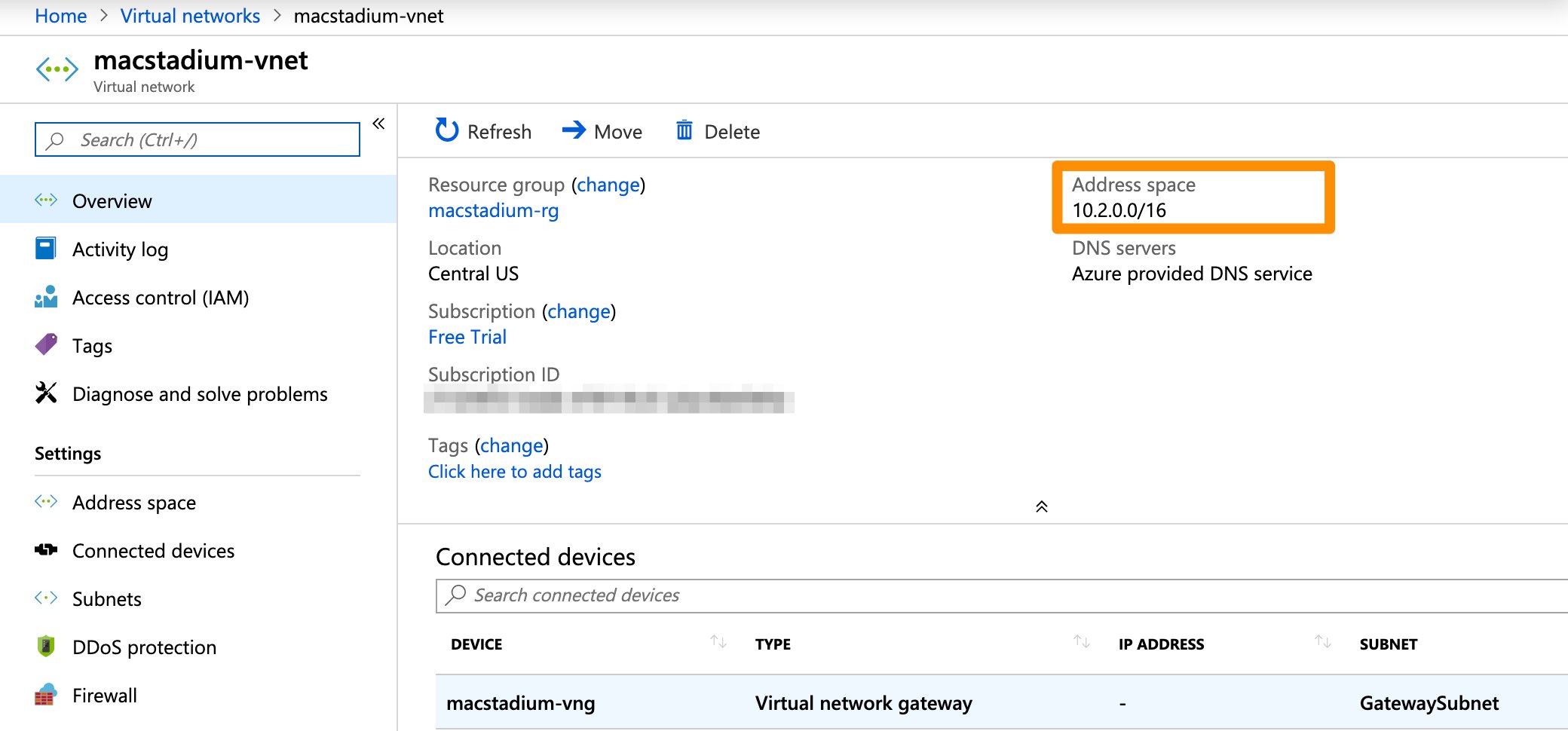
  4. In the network overview, look for the Address space. Use the IP address without the bit notation at the end (e.g. /16).
    f49e7a8-azure-vnet-ip.png
{ azure_network_mask } This is the subnet mask of the virtual network in Azure that needs to have access to MacStadium.
  1. Verify that you’re logged into the Azure portal for your subscription.
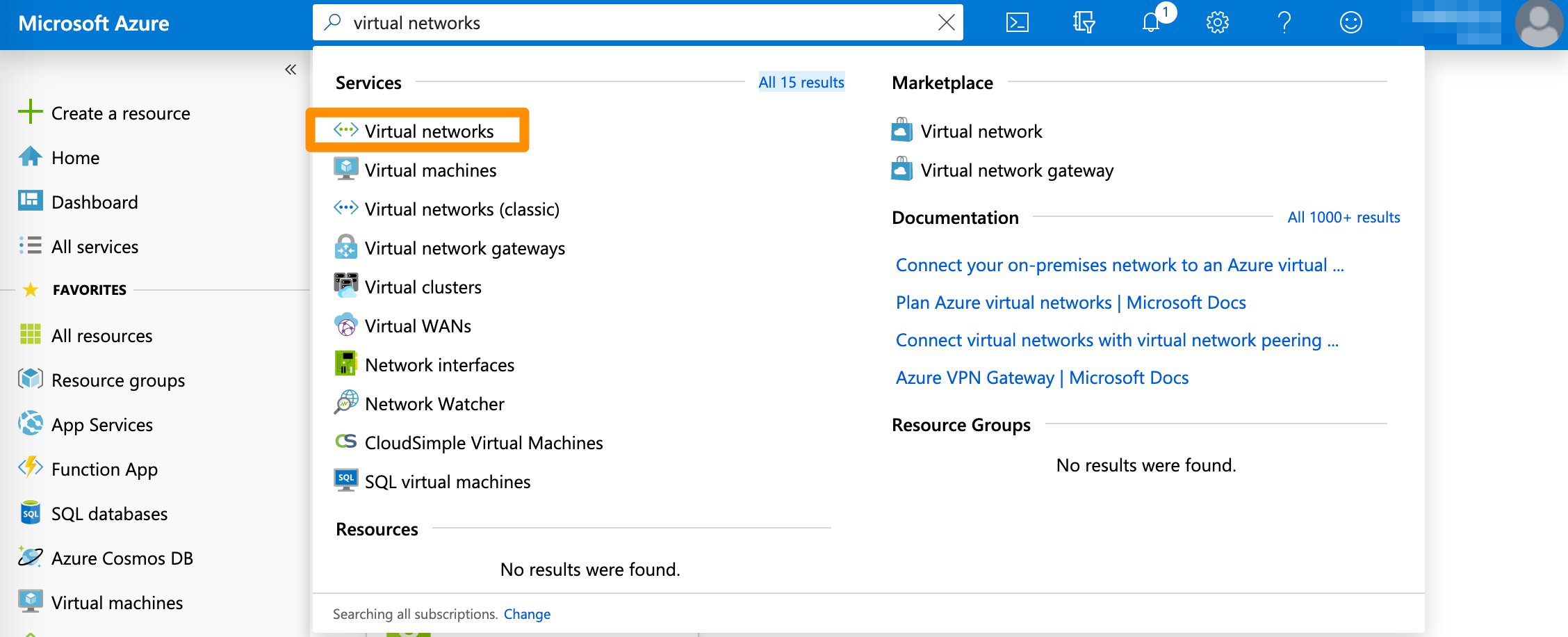
  2. In the search box at the top of the screen, type Virtual networks and select the respective entry in the filtered search results.
    d9d72cc-select-virtual-networks.png
  3. On the Virtual networks screen, select the virtual network used in your VPN.
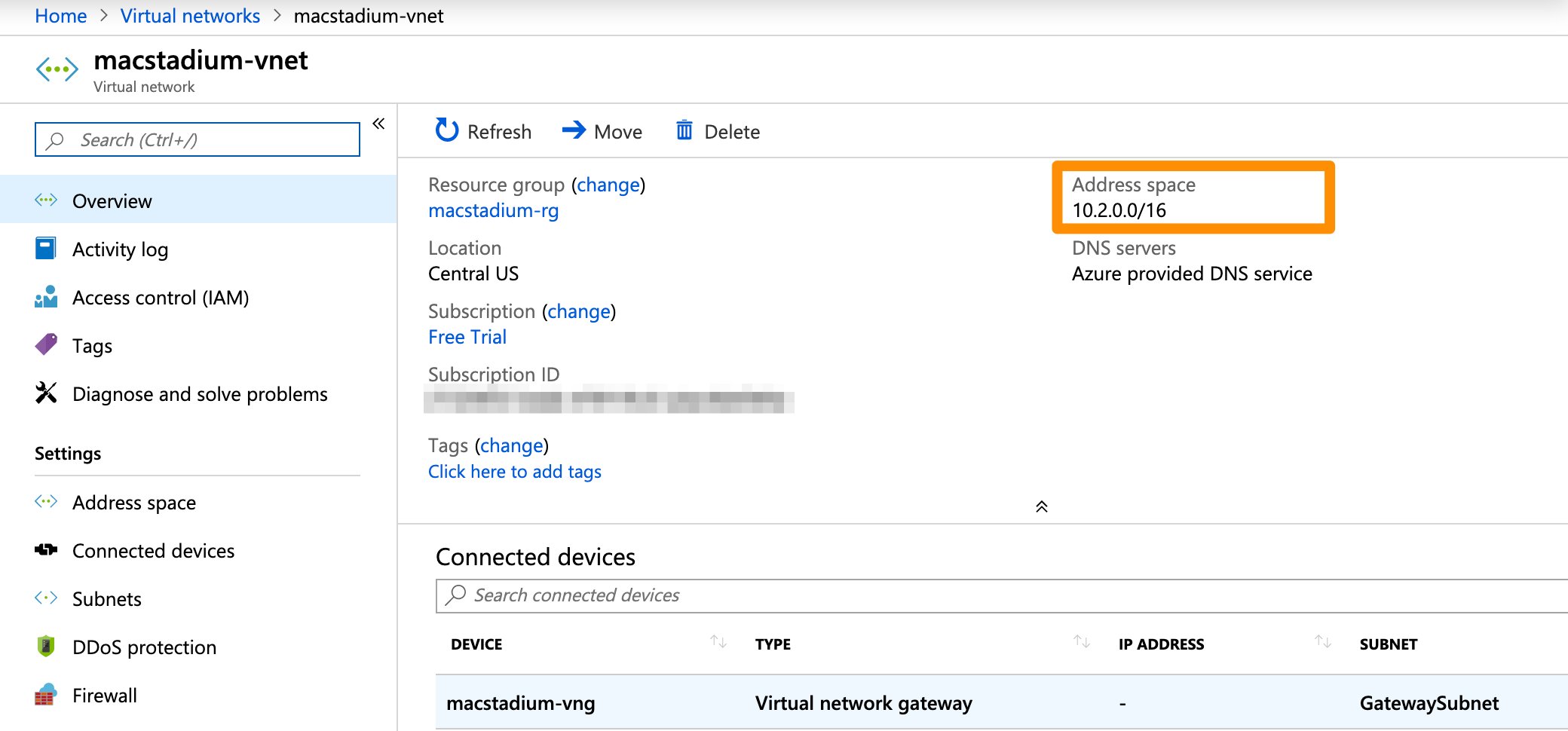
  4. In the network overview, look for the Address space. Use the bit notation at the end (e.g. /16) and convert it to a subnet mask. You can use a CIDR calculator such as this CIDR/Netmask Lookup Tool.
    f32f24b-azure-vnet-ip.png
{ macstadium_network_address } This is the IP address of the private network in MacStadium that needs to be accessed by Azure. By default, this is Private-1.
  • You can find the information about your private network in Appendix A of the IP Plan.
{ macstadium_network_mask } This is the subnet mask of the private network in MacStadium that needs to be accessed by Azure. By default, this is Private-1. { macstadium_network_name }
This is the name of the private network in MacStadium that needs to be accessed by Azure. By default, this is Private-1.
{ macstadium_outside_interface } This is the name of the outside interface of your Cisco ASA/ASAv device. By default, this is Outside. { azure_virtual_network_gateway_ip } This is the public IP assigned to the virtual network gateway in Azure.
  1. Verify that you’re logged into the Azure portal for your subscription.
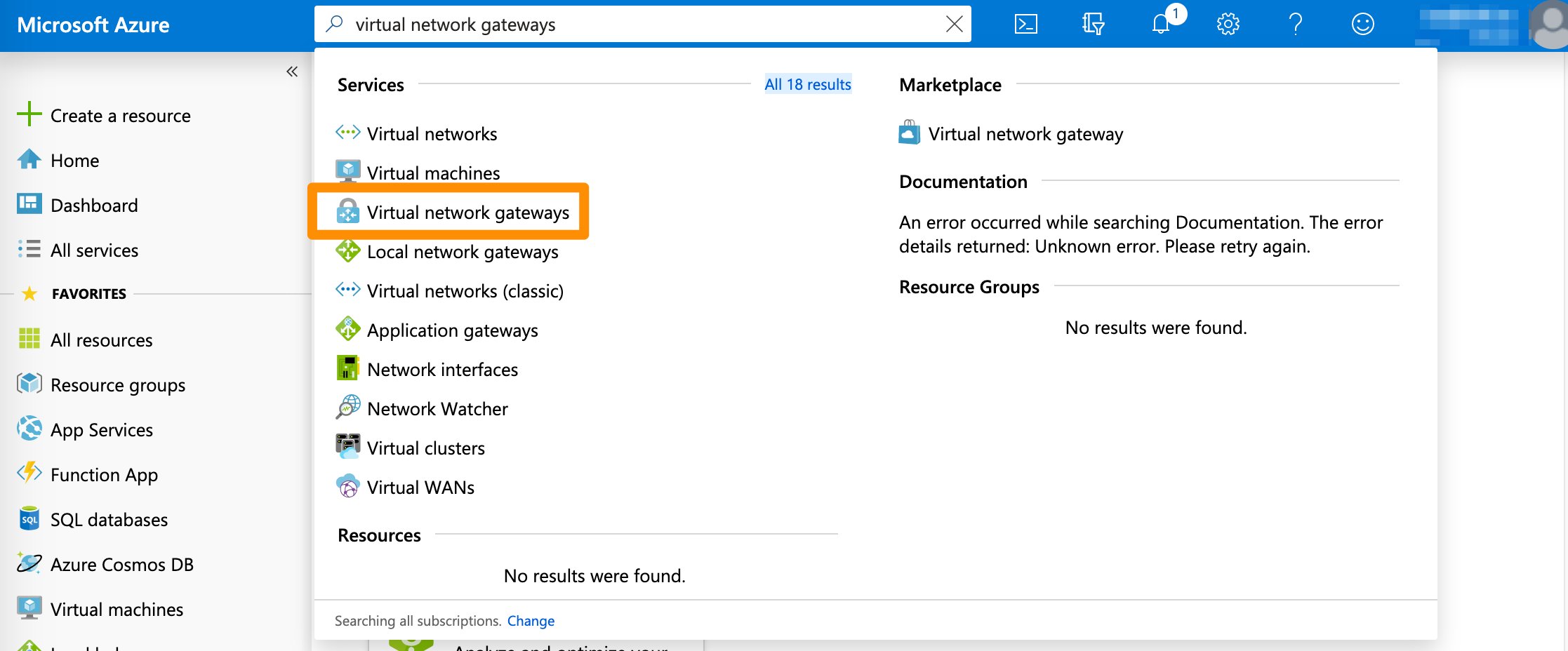
  2. In the search box at the top of the screen, type Virtual network gateways and select the respective entry in the filtered search results.
    3f86a54-select-virtual-network-gateways.png
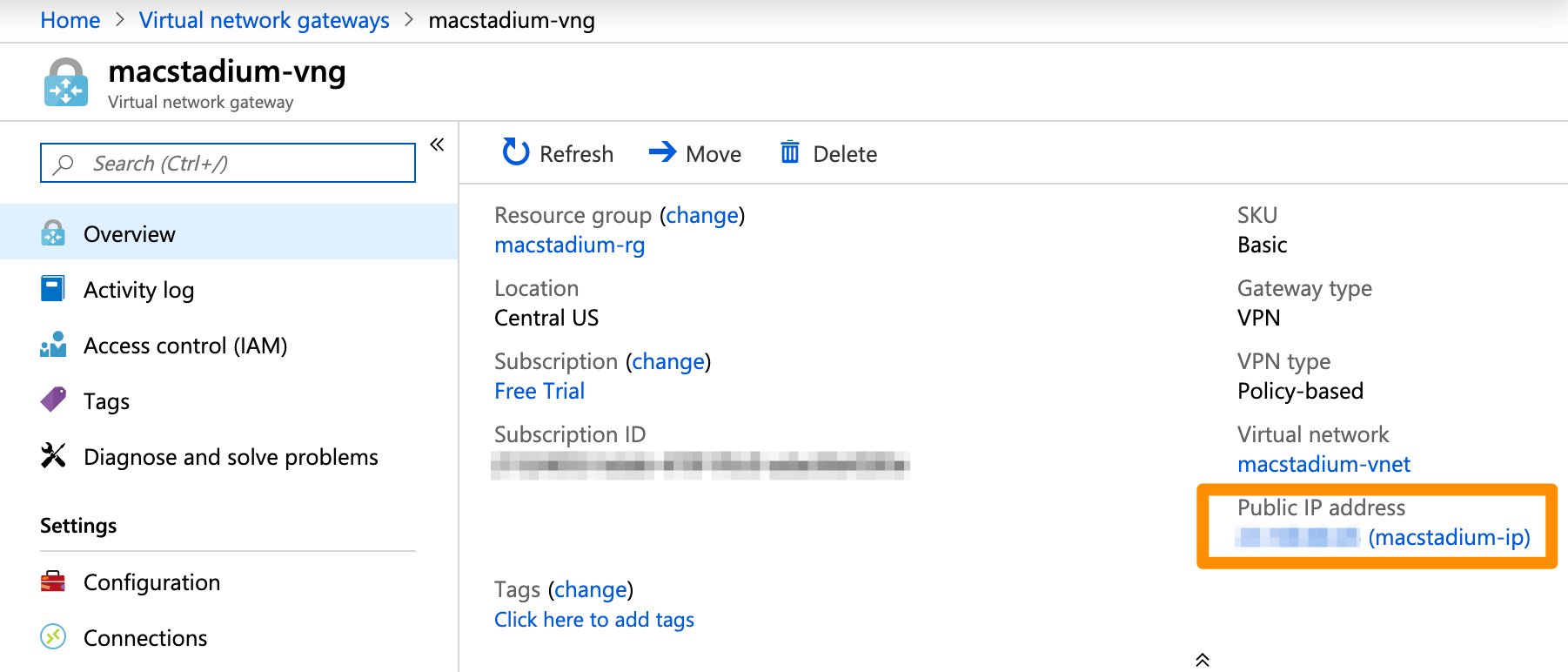
  3. On the Virtual network gateways screen, select the gateway for your VPN connection.
  4. In the network overview, look for the Public IP address.
    9965355-vng-public-ip.png
{ shared_key } This is the IPSec pre-shared key used when creating the VPN connection in Azure.
  • You must have this key saved separately.

Complete the template

  1. Copy the template into a text editing tool.
  2. Replace all placeholders with their respective values.
  3. Delete the remaining commented lines to clean up the template. Commented lines are indicated by ! at the beginning of the line.
  4. Save your changes.

Next steps

If you are ready to feed the complete configuration into your Cisco ASA/ASAv, see Setting Up the MacStadium Side of the Site-to-Site VPN.