- Log into GCP
- Create the VPN connection
Log into GCP
- Log in to the GCP console with your credentials.
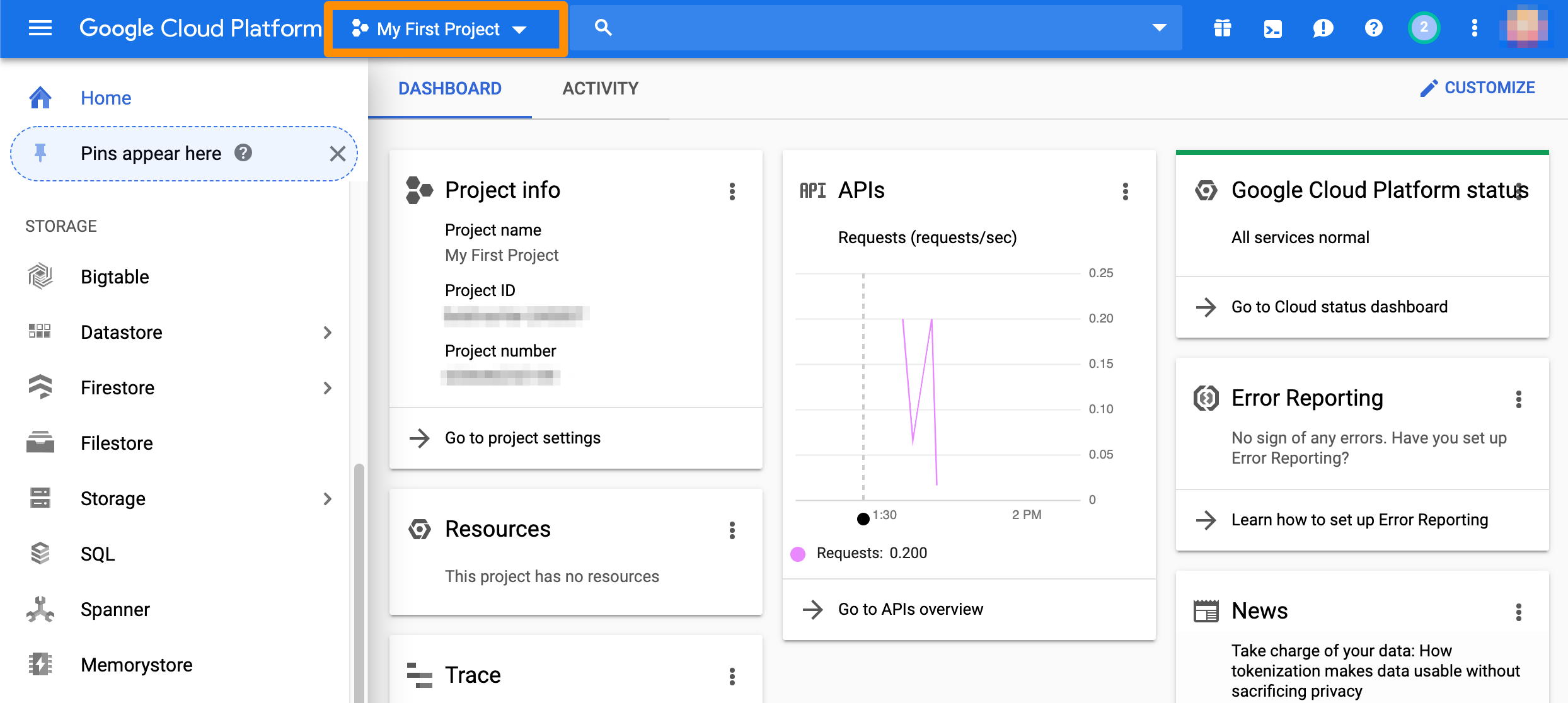
- In the toolbar at the top, make sure that you’re working with the correct project.
Create the VPN connection
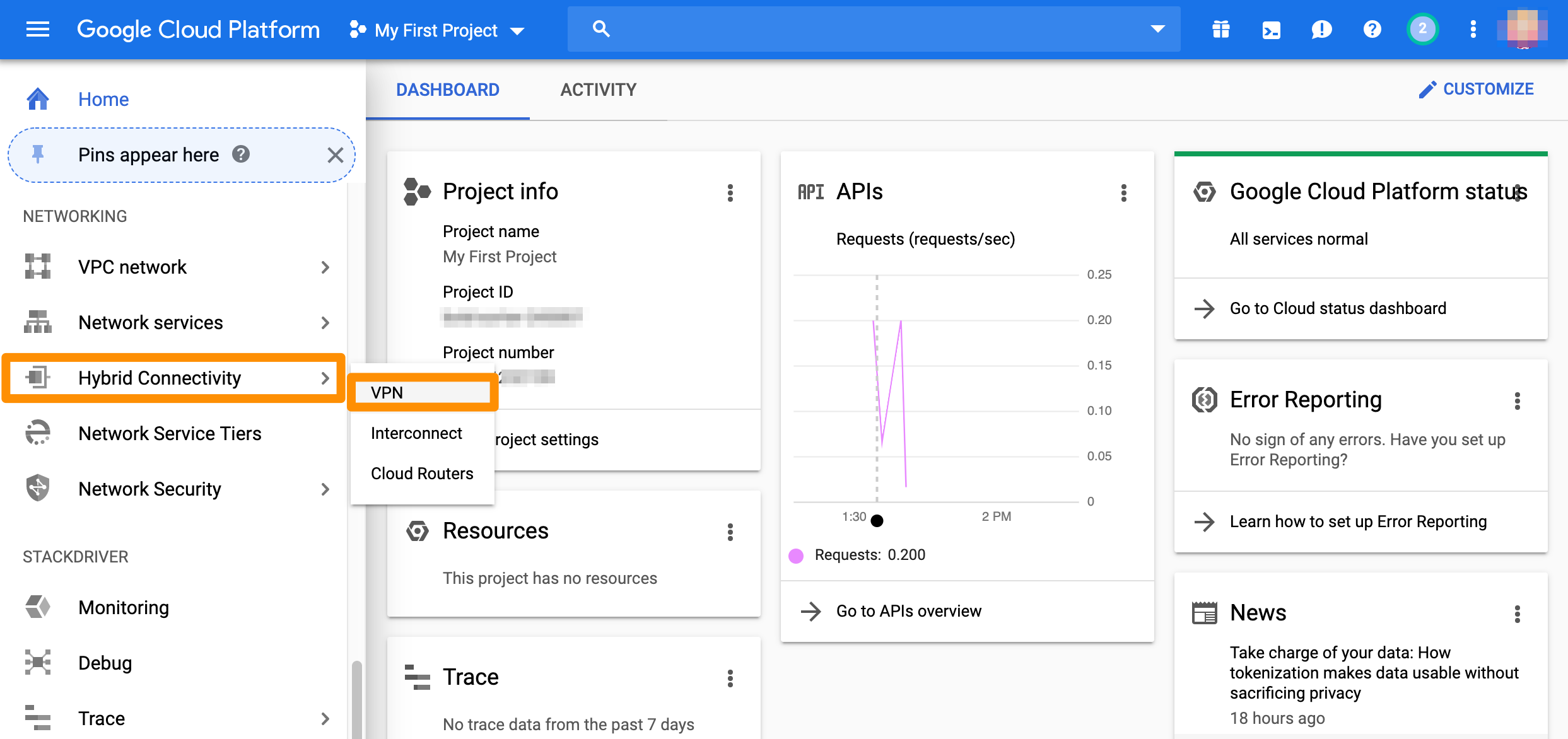
From the GCP console sidebar, scroll to the Networking section and select Hybrid Connectivity > VPN.Create gateway and tunnel
If you don’t have a classic VPN gateway that you want to use, complete the following steps.- If you don’t have any VPNs created yet, click Create VPN connection.
- If you have one or more VPNs created, click + VPN SETUP WIZARD.
- Select Classic VPN and click Continue.
- In the Google Compute Engine VPN gateway section, provide Name and Description.
- For Network, select the GCP network that needs to be able to access MacStadium.
- Select Region.
- Select or create a reserved IP address for the connection.
- In the Tunnels section, provide Name and Description.
- For Remote peer IP address, provide the IP address of the public network listed in Appendix B of the IP Plan.
- For IKE version, verify that IKEv2 is selected.
- Provide or generate an IKE pre-shared key.
- For Routing options, select Policy-based.
- For Remote network IP ranges, provide the IP range in CIDR notation of the private network listed in Appendix A of the IP Plan.
- (Optional) Select one or more GCP subnetworks to reduce latency between your GCP private cloud and your MacStadium private cloud.
- (Optional) Provide one or more IP ranges within your GCP local network that needs to access MacStadium.
- Click Done.
- Click Create.
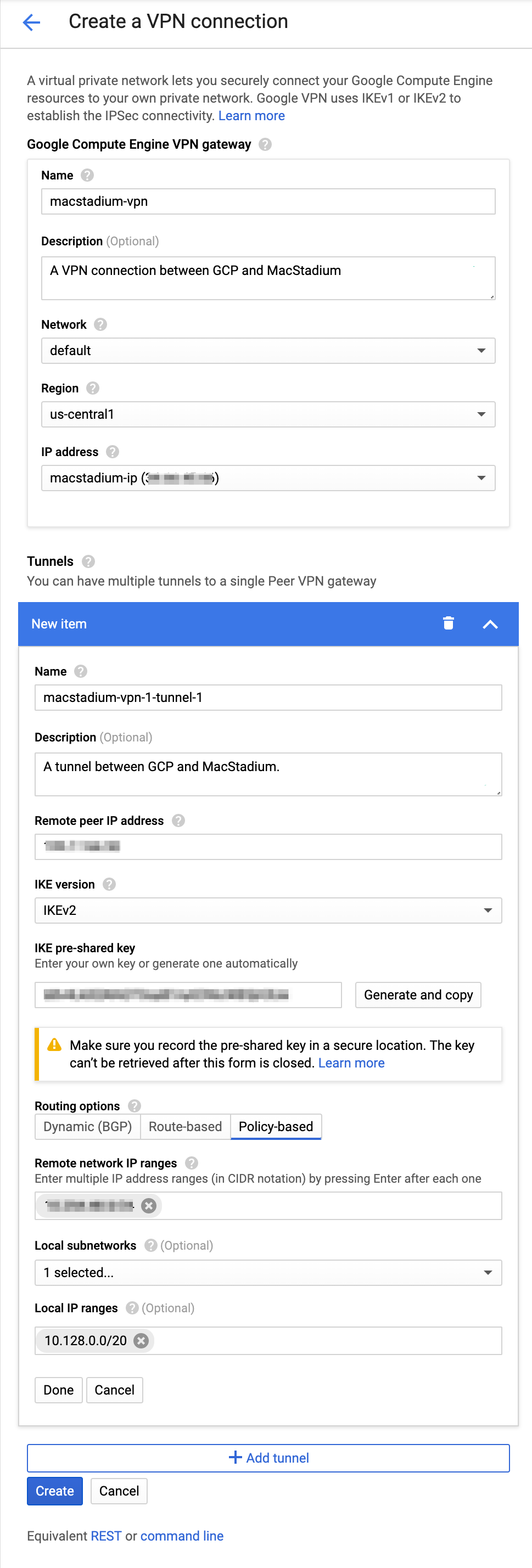
Example: Create gateway and tunnel
This image shows a sample configuration for the VPN gateway and tunnel.Add a new tunnel to an existing gateway
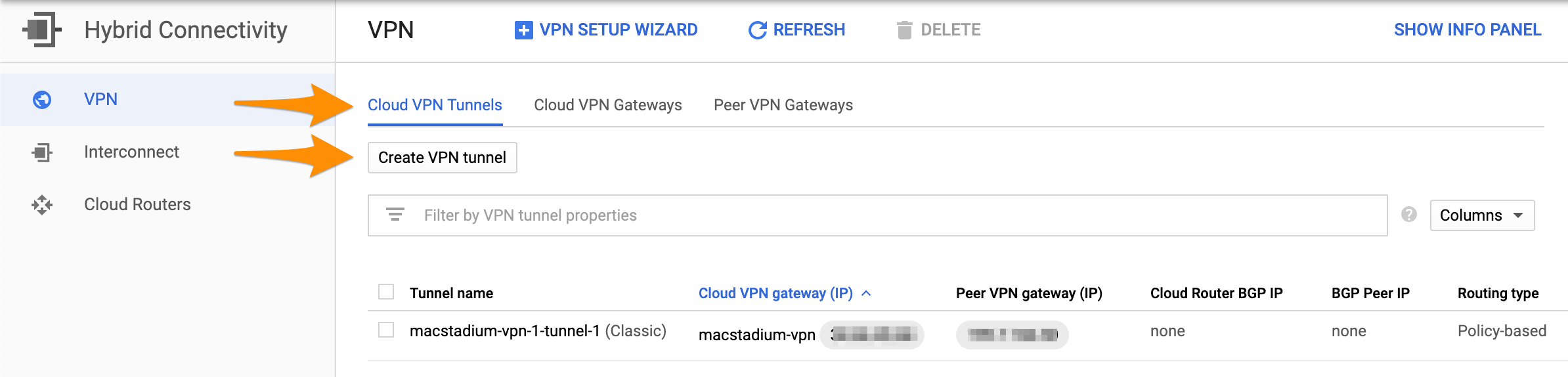
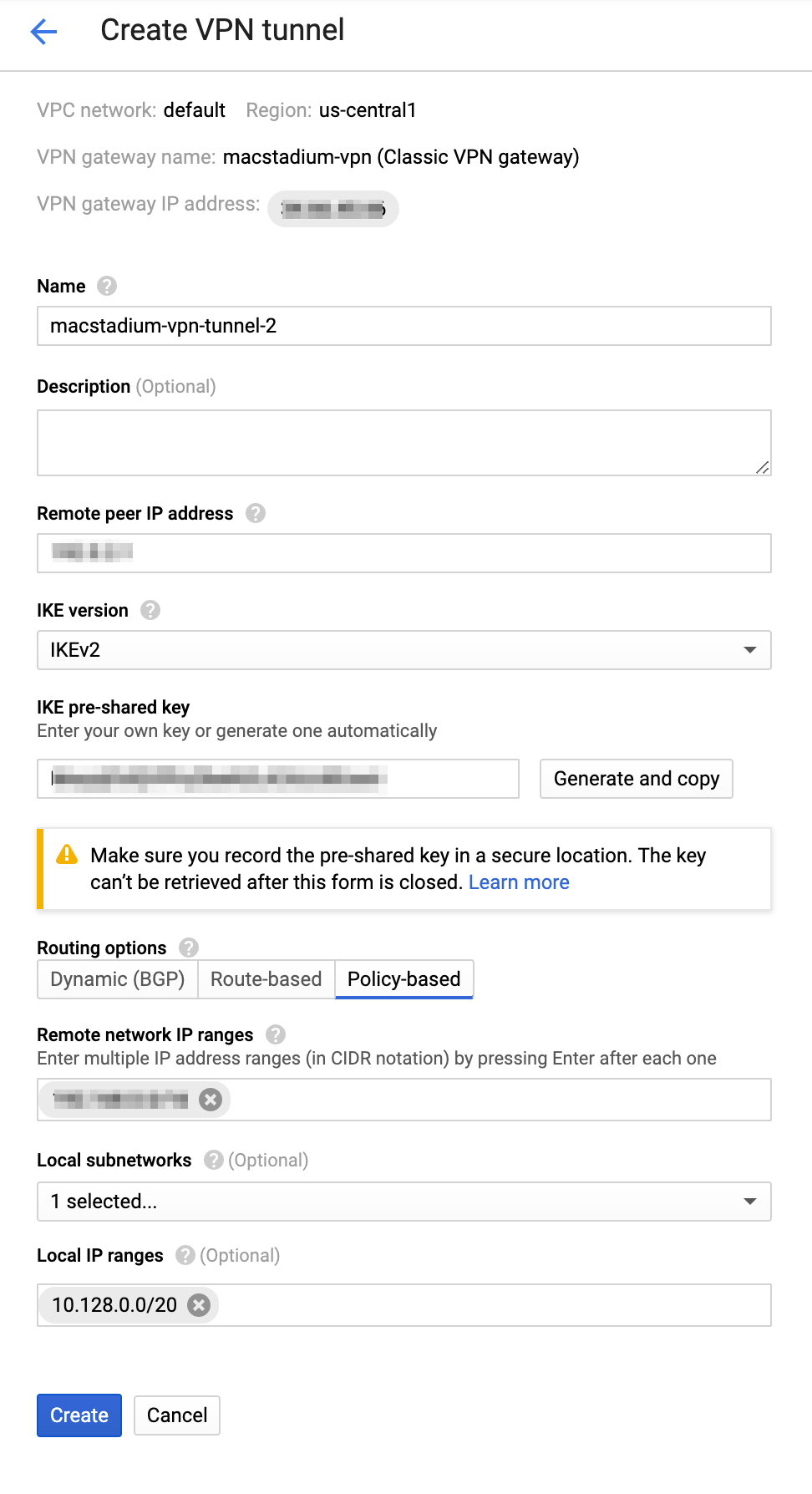
If you have an existing classic VPN gateway that you want to use for the connection, complete the following steps.- Select Cloud VPN Tunnels and click Create VPN tunnel.
- Select the VPN gateway that you want to use and click Continue.
- Provide Name.
- (Optional) Provide Description.
- For Remote peer IP address, provide the IP address of the public network listed in Appendix B of the IP Plan.
- For IKE version, verify that IKEv2 is selected.
- Provide or generate an IKE pre-shared key.
- For Routing options, select Policy-based.
- For Remote network IP ranges, provide the IP range in CIDR notation of the private network listed in Appendix A of the IP Plan.
- (Optional) Select one or more GCP subnetworks to reduce latency between your GCP private cloud and your MacStadium private cloud.
- (Optional) Provide one or more IP ranges within your GCP local network that needs to access MacStadium.
- Click Create.