

- Once the file completes the download process and the files appear in the Media Images page, navigate to the Machines Dashboard.
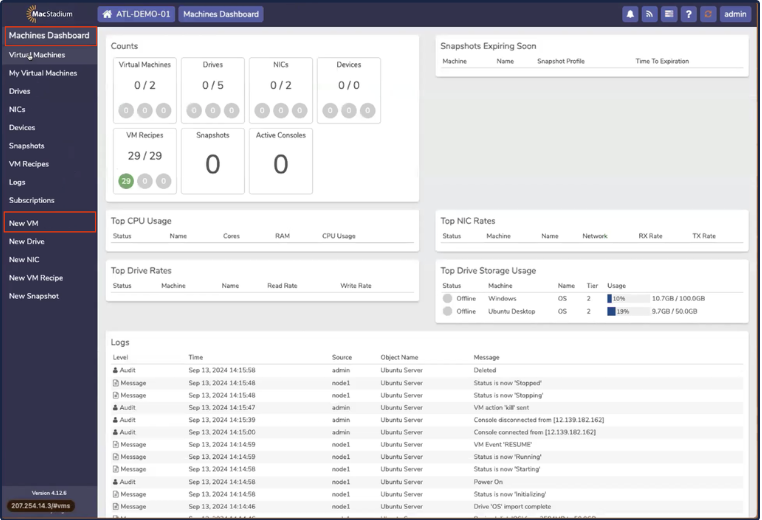
- Click New VM.
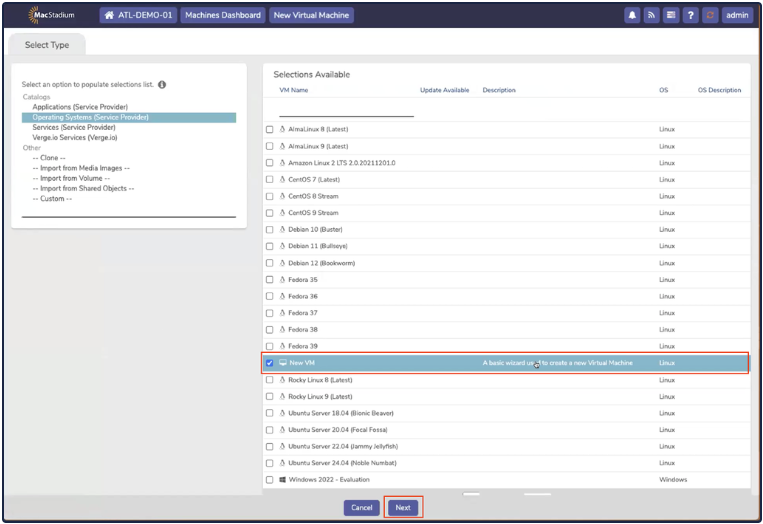
- On the Select Type tab, select New VM and click Next.
- The Virtual Machine Settings tab opens.
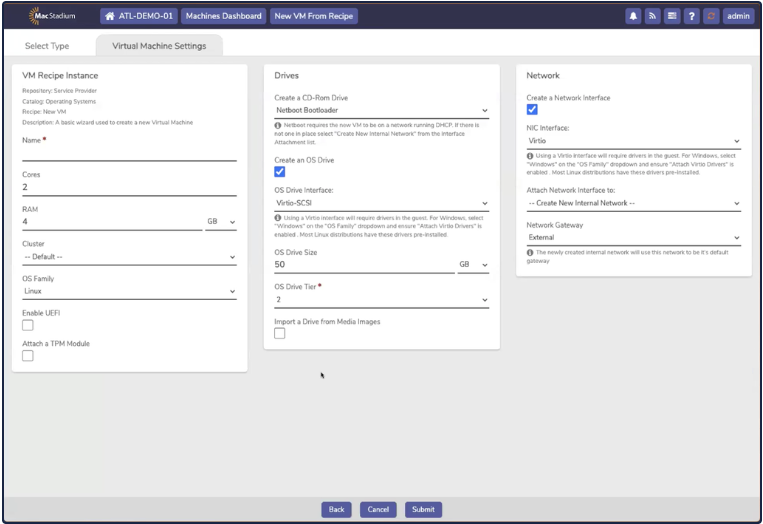
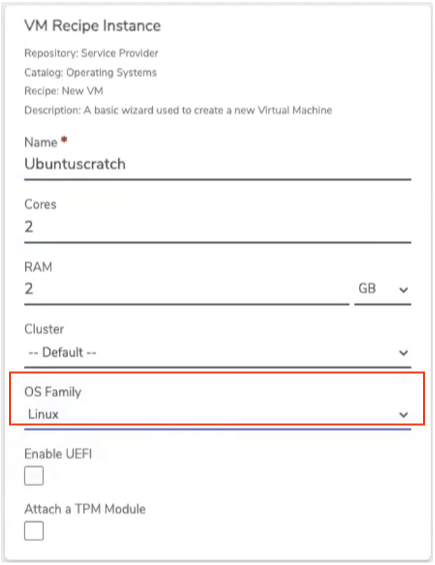
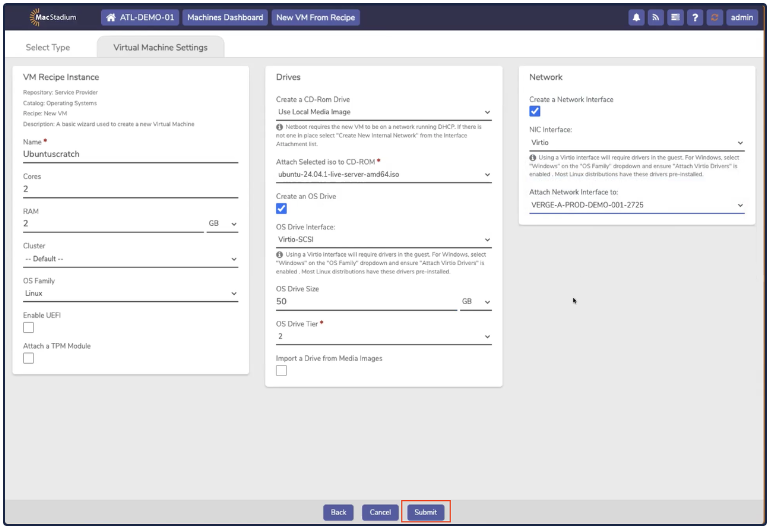
- In the VM Recipe Instance box, complete the following fields:
- Name
- Cores
- RAM
- Cluster (can be left as Default)
- OS Family
- In the Drives box:
- Create a CD-Rom Drive, select Use Local Media Image
- Attach Selected iso to CD-ROM, select the file that was previously uploaded into Media Images
- OS Drive Interface, select Virtio-SCSI
 Drives
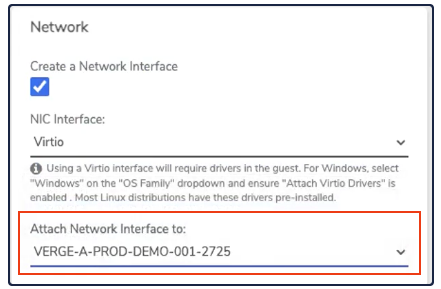
- In the Network box, make sure the Create Network Interface is checked and select the interface from the dropdown.
- Click Submit.
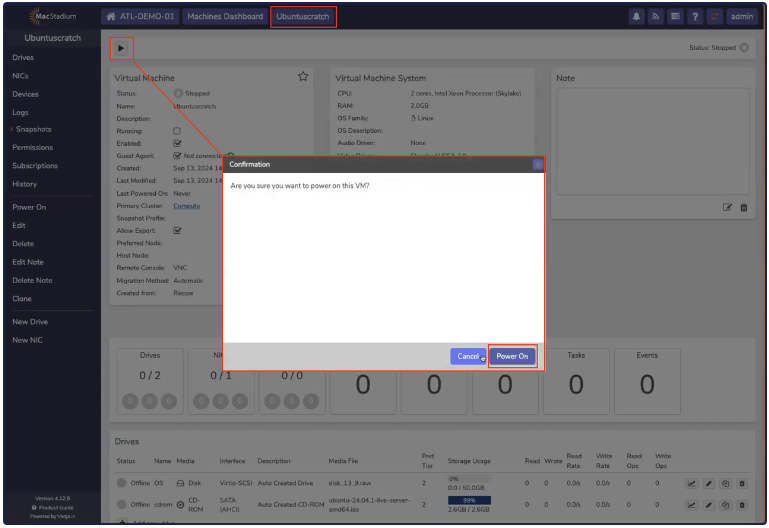
- The new VM screen opens. Click the Power button and the Confirmation box opens.
- Click Power On.
- Next, you must install and configure the OS. To access the machine, click Console.
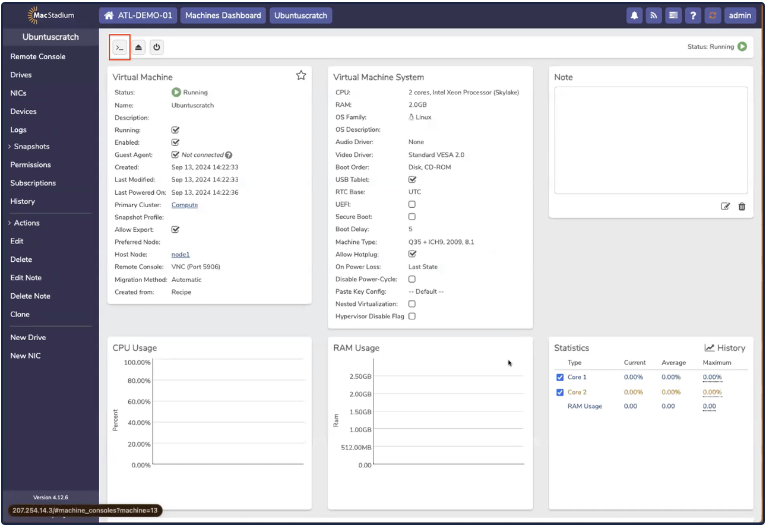
- The Console opens.
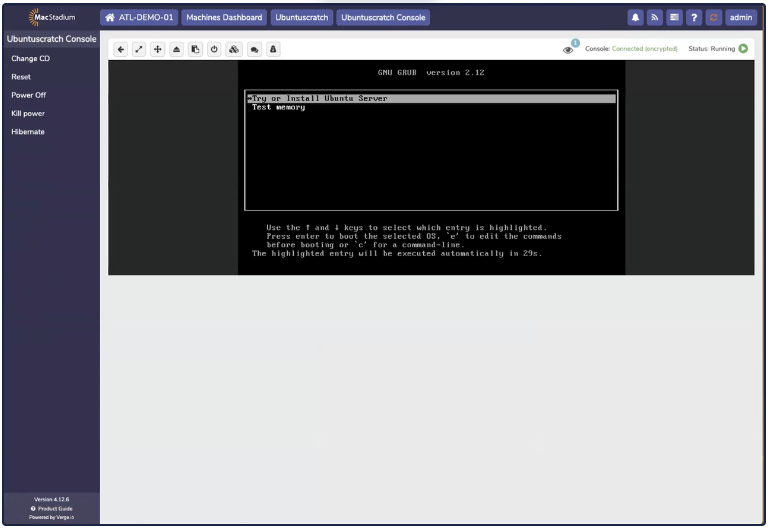
- Use the console to install the OS as usual.
- You must set the IP address configuration manually as a part of installation. The process for this can differ, depending on the OS installed. In this example, we are setting a manual IP address for Ubuntu Server 24.04:
 Manual IP Address Assignment
DHCP is not supported. You must manually assign an IP address, using a free IP address from Host Assignments in My Cloud. All fields must be completed to ensure network connectivity.
Manual IP Address Assignment
DHCP is not supported. You must manually assign an IP address, using a free IP address from Host Assignments in My Cloud. All fields must be completed to ensure network connectivity.
- Complete the installation as usual. Most Linux distributions include drivers for Virtio, which is required for optimal performance when virtualizing hardware.