

Check model and version in Cisco ASDM-IDM
- Verify login logged in to your firewall.
-
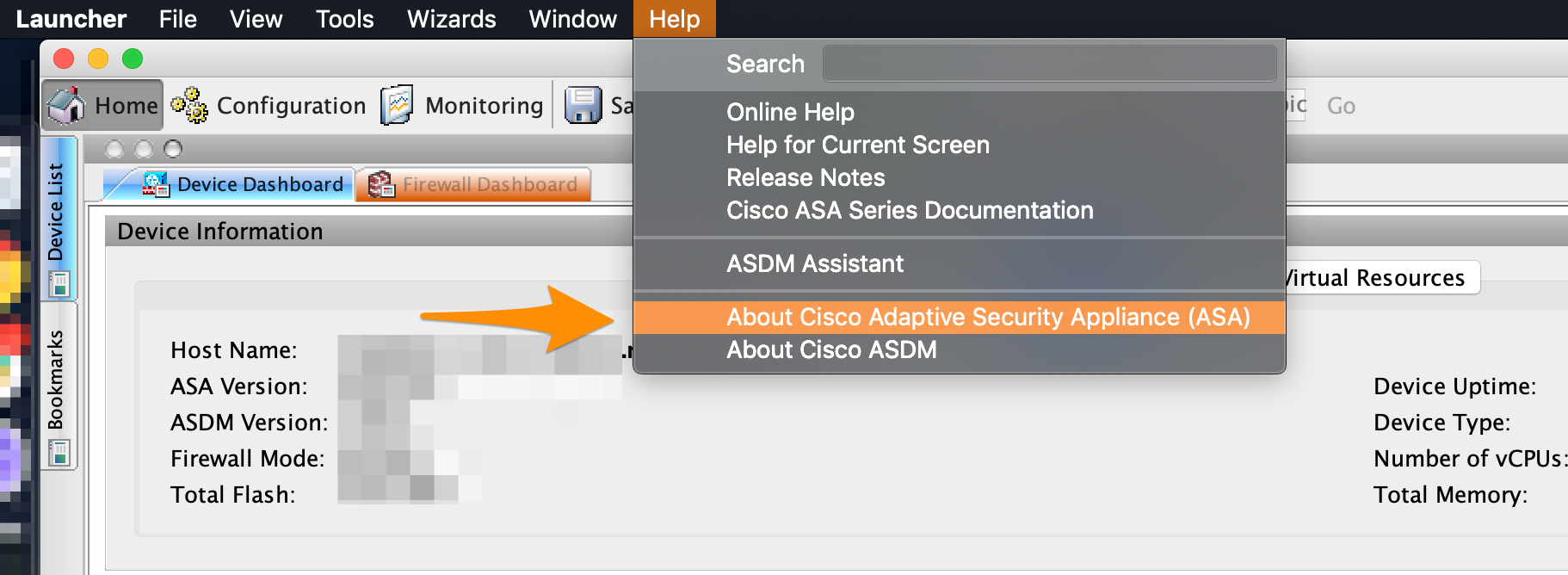
In the menu bar of the running Cisco ASDM-IDM, select Help > About Cisco Adaptive Security Appliance (ASA).\
-
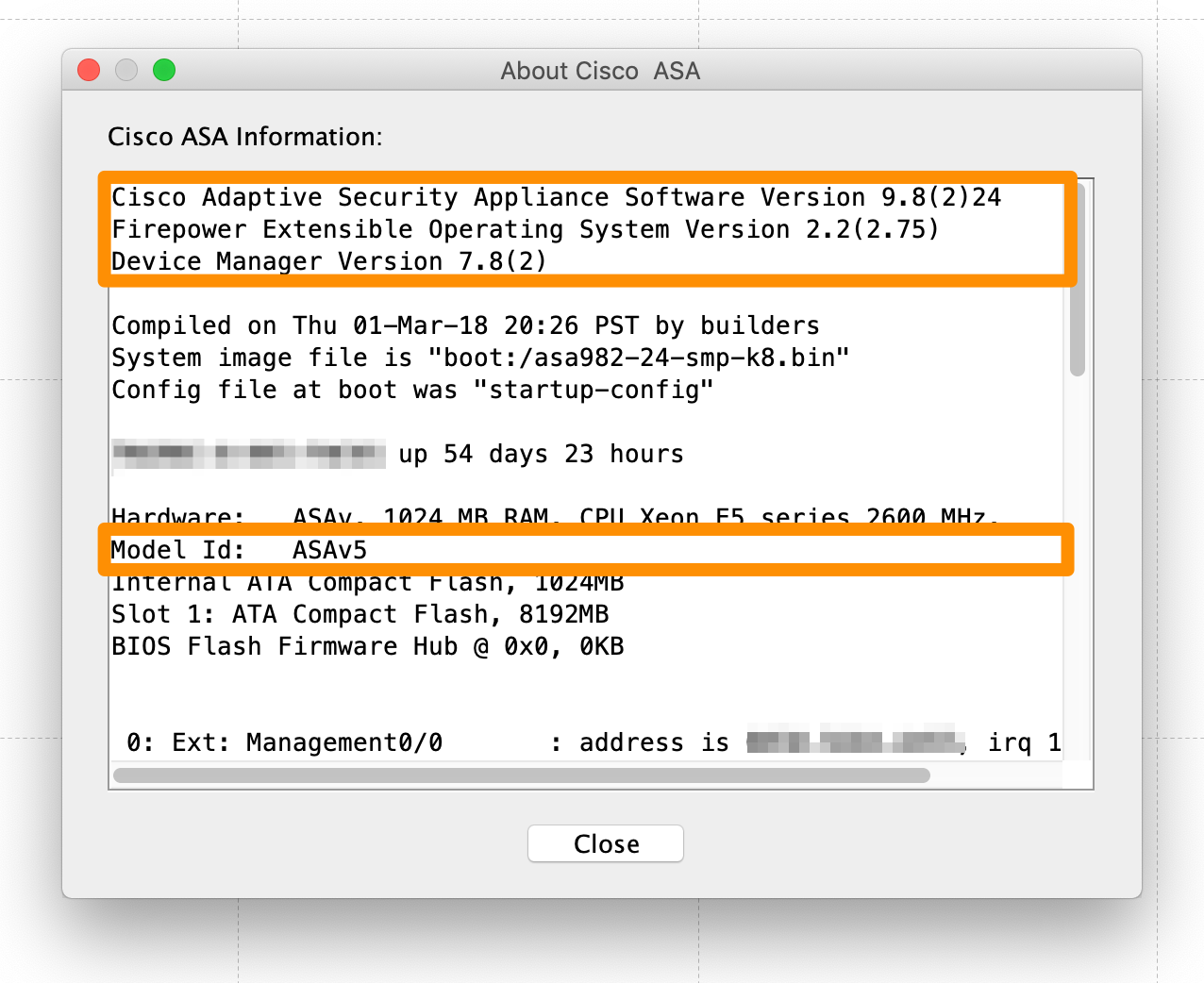
In the pop-up window, look for the following information:
- Cisco Adaptive Security Appliance Software Version: Lists the software version of the firewall. For example: 9.8(2)24.
- Device Manager Version: Lists the software version of the Cisco ASDM-IDM interface. For example: 7.8(2).
- Model Id: Lists the device model. For example: ASAv5.
Check model and version in the CLI
- Verify login logged in to your firewall.
-
In the Cisco CLI, run the following command:
show version -
In the command response, look for the following information:
- Cisco Adaptive Security Appliance Software Version: Lists the software version of the firewall. For example: 9.8(2)24.
- Device Manager Version: Lists the software version of the Cisco ASDM-IDM interface. For example: 7.8(2).
- Model Id: Lists the device model. For example: ASAv5.