About
SAML SSO is a paid offering. Contact your account team through the Customer Portal for more information.
Overview
SAML SSO with Microsoft Entra ID allows customers to:- Enable users to be automatically signed in to MacStadium using their Entra ID accounts.
- Manage accounts in one central location: Microsoft Entra ID.
Getting Started
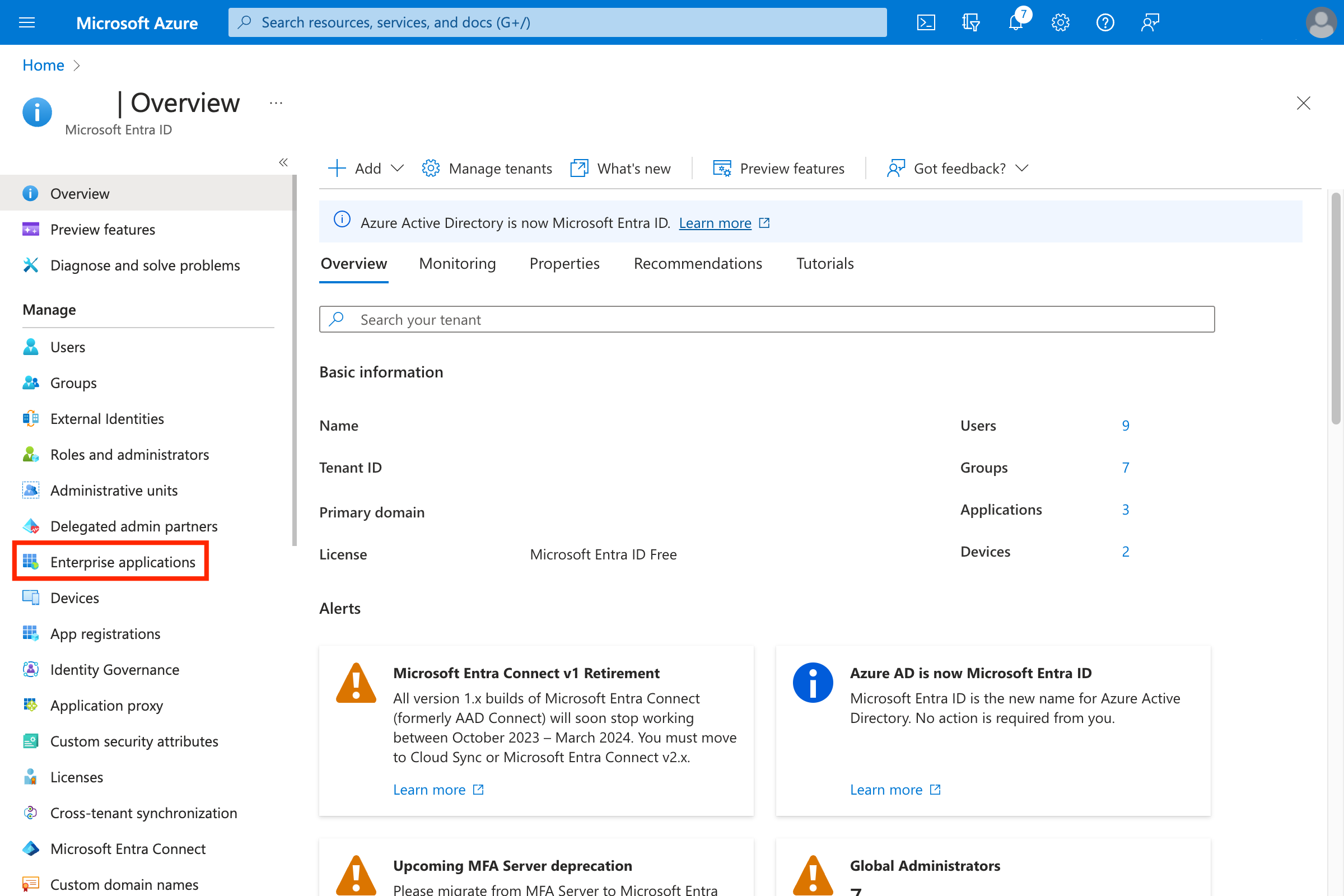
- Open Entra ID admin.
- Navigate to Enterprise applications.\
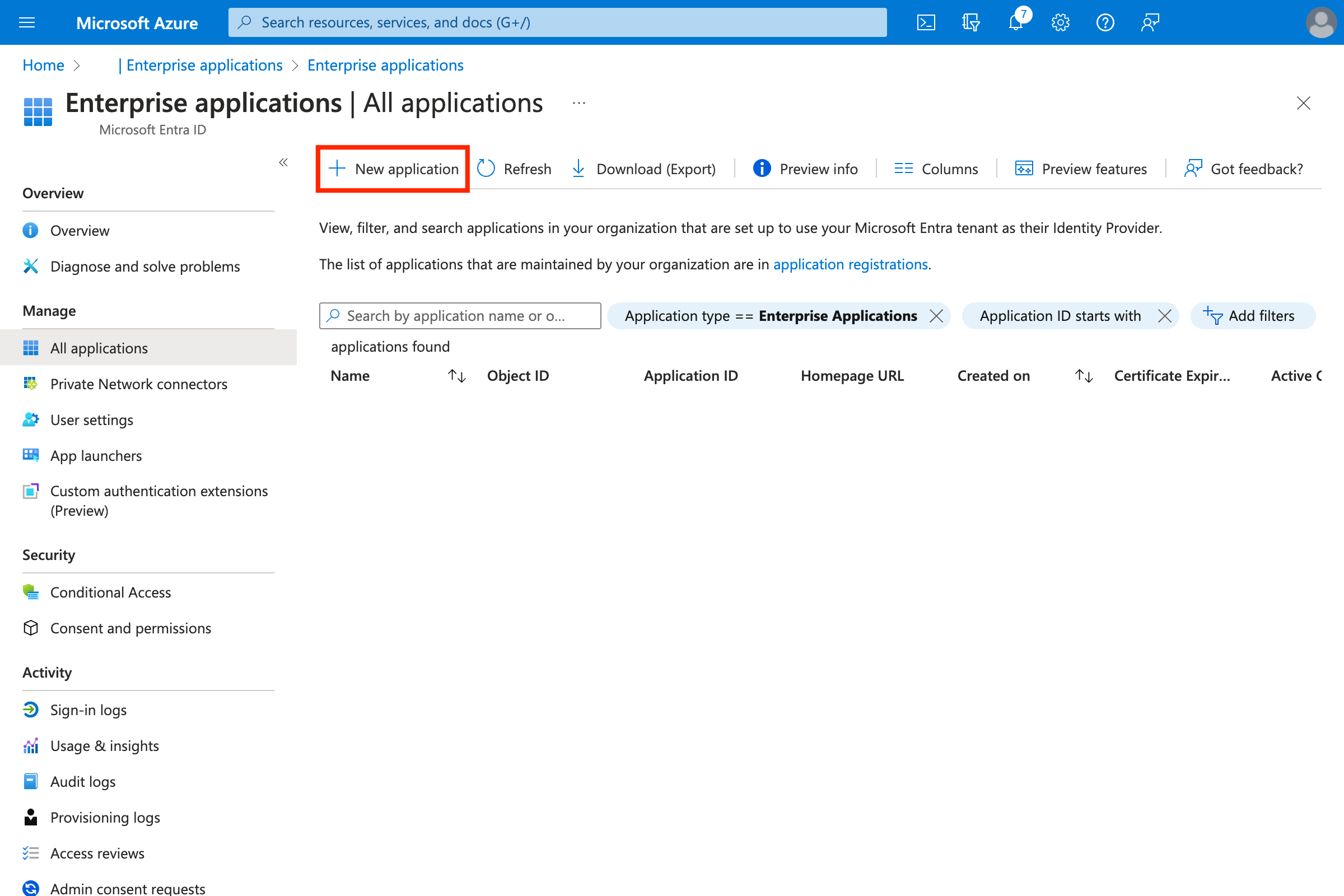
- Create a new application by clicking New Application.\
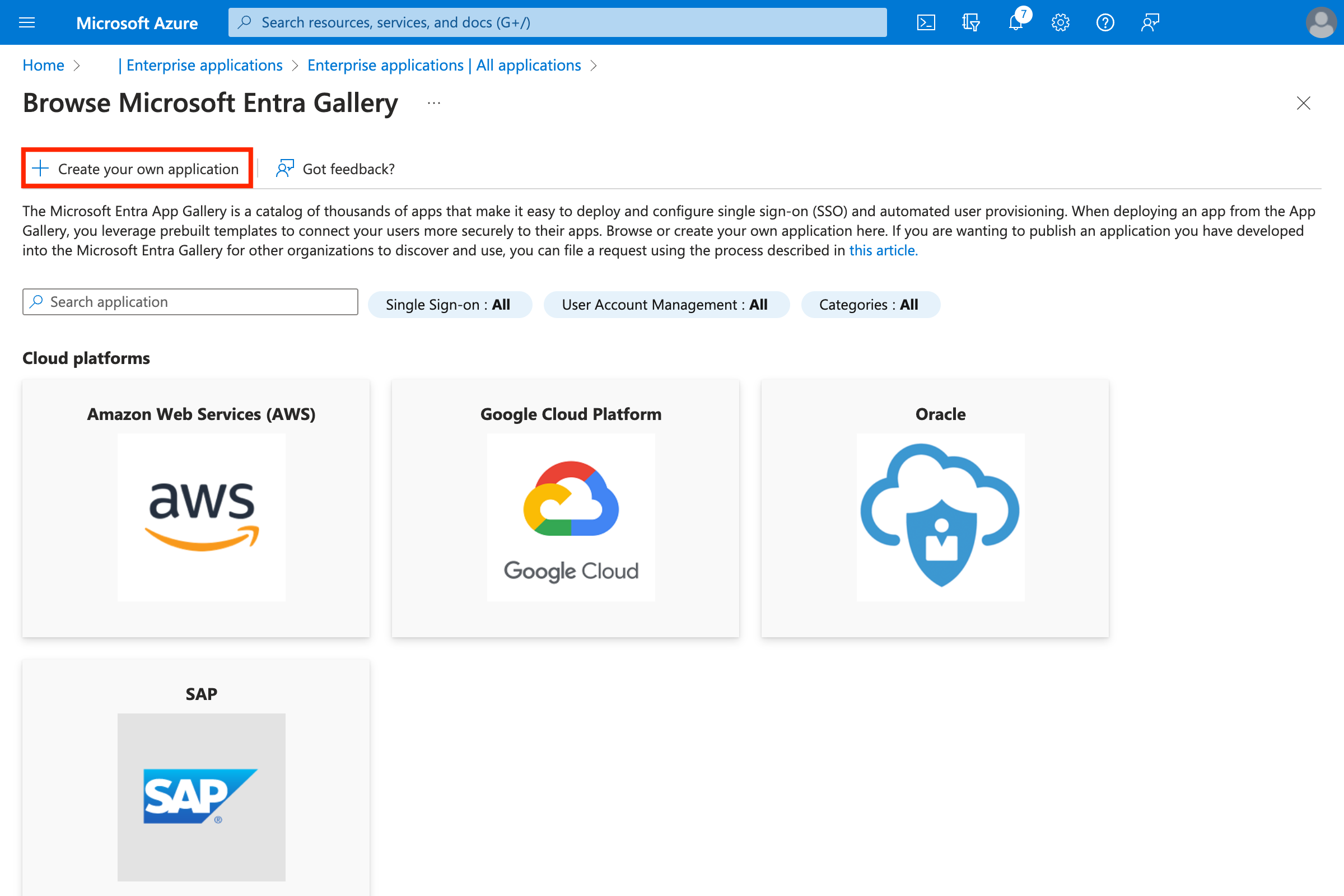
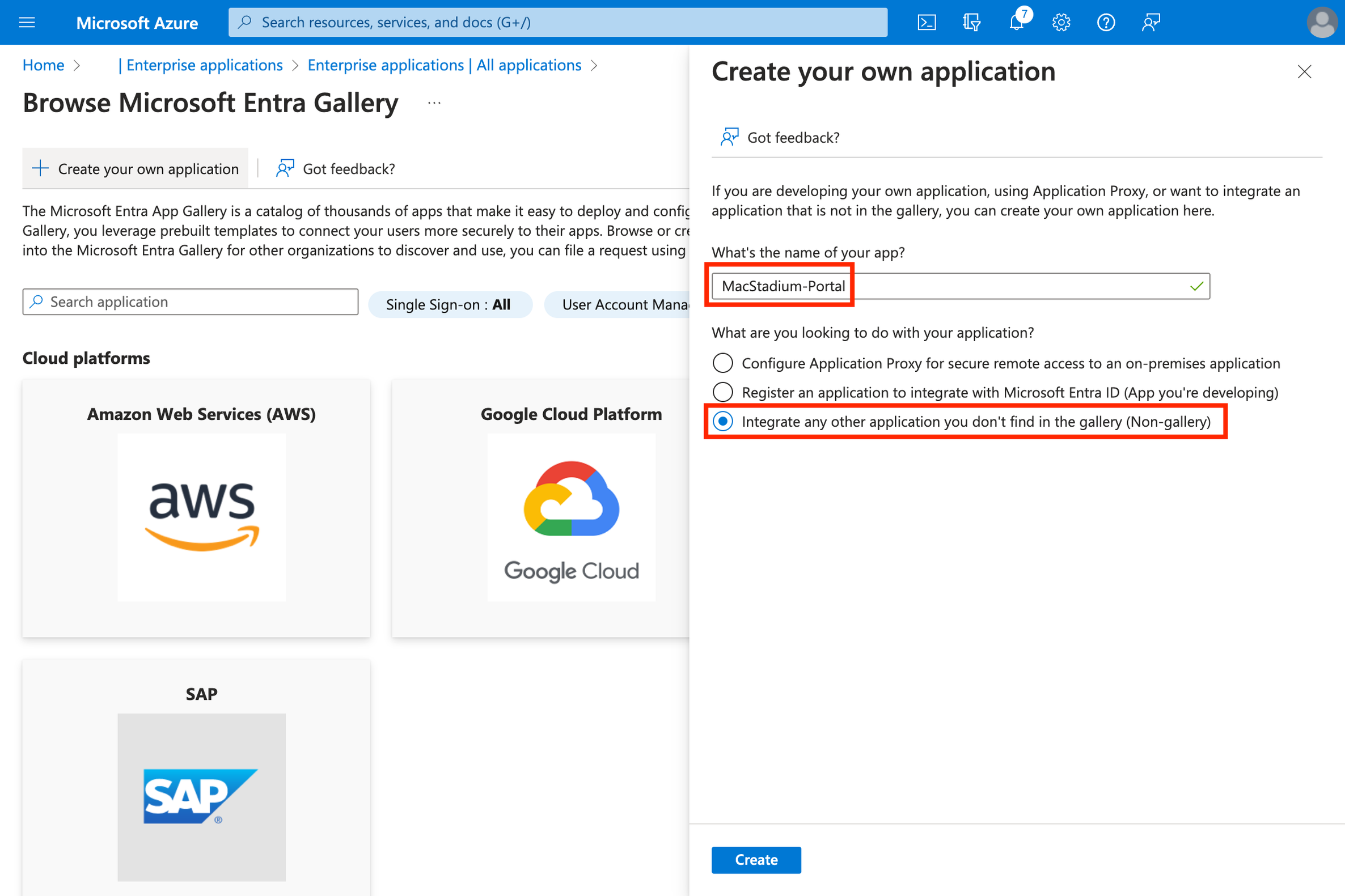
- Create an application by clicking Create your own application.\
- Enter a name (for example MacStadium-Portal).
- Select Integrate any other application you don’t find in the gallery (Non-gallery).\
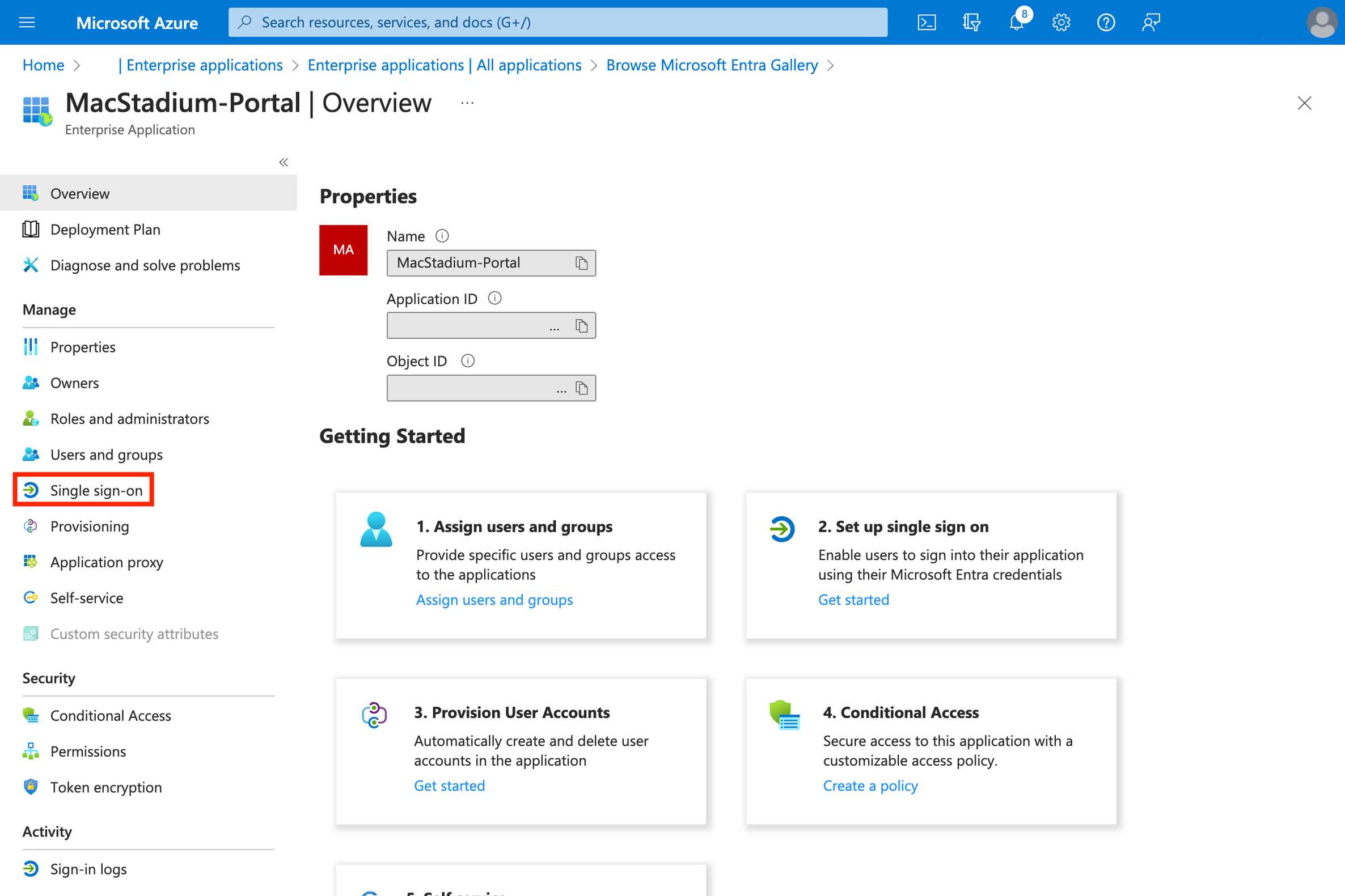
- Click Single sign-on.\
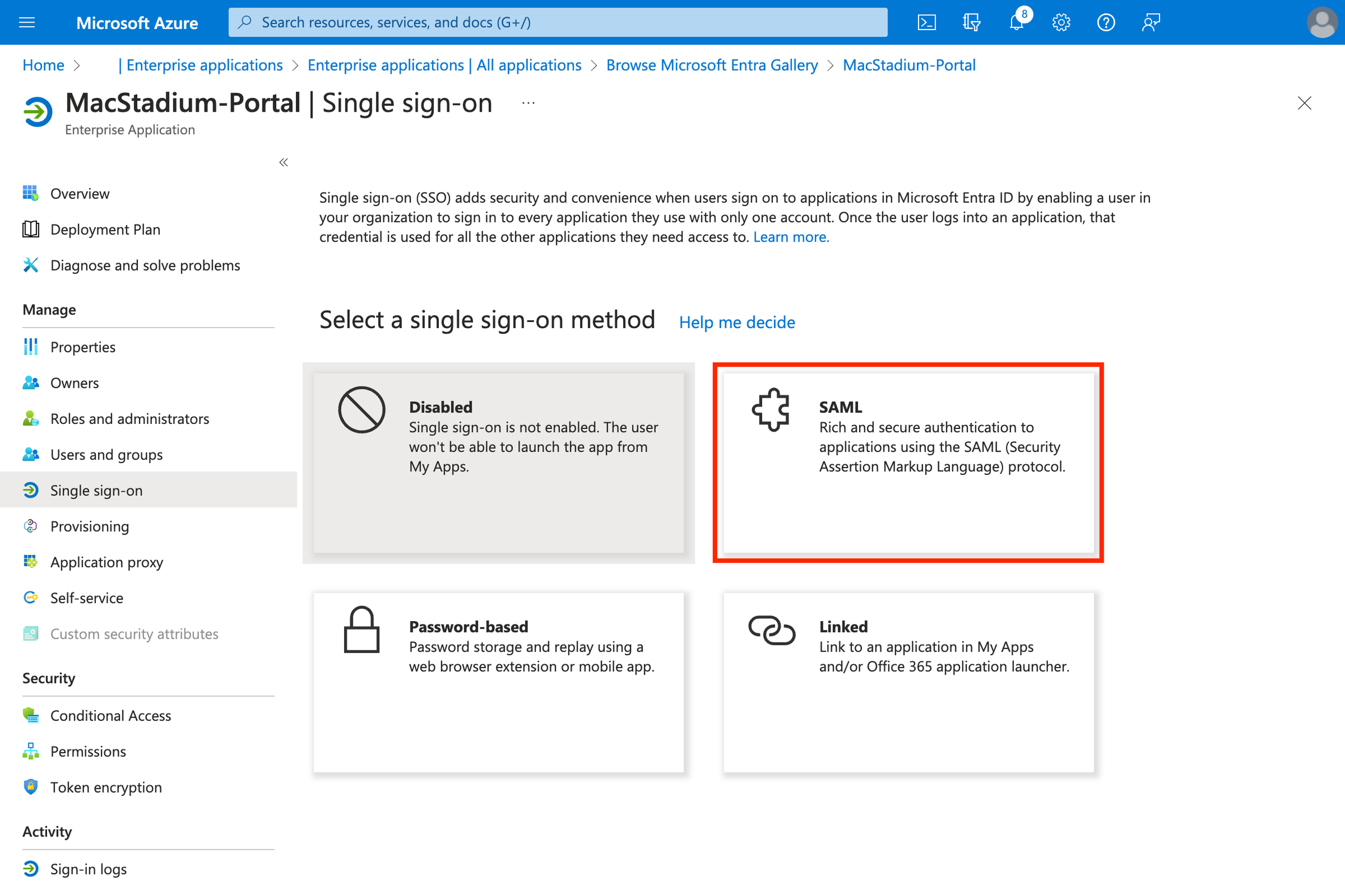
- Select SAML.\
- Click Edit on the Basic SAML settings.\
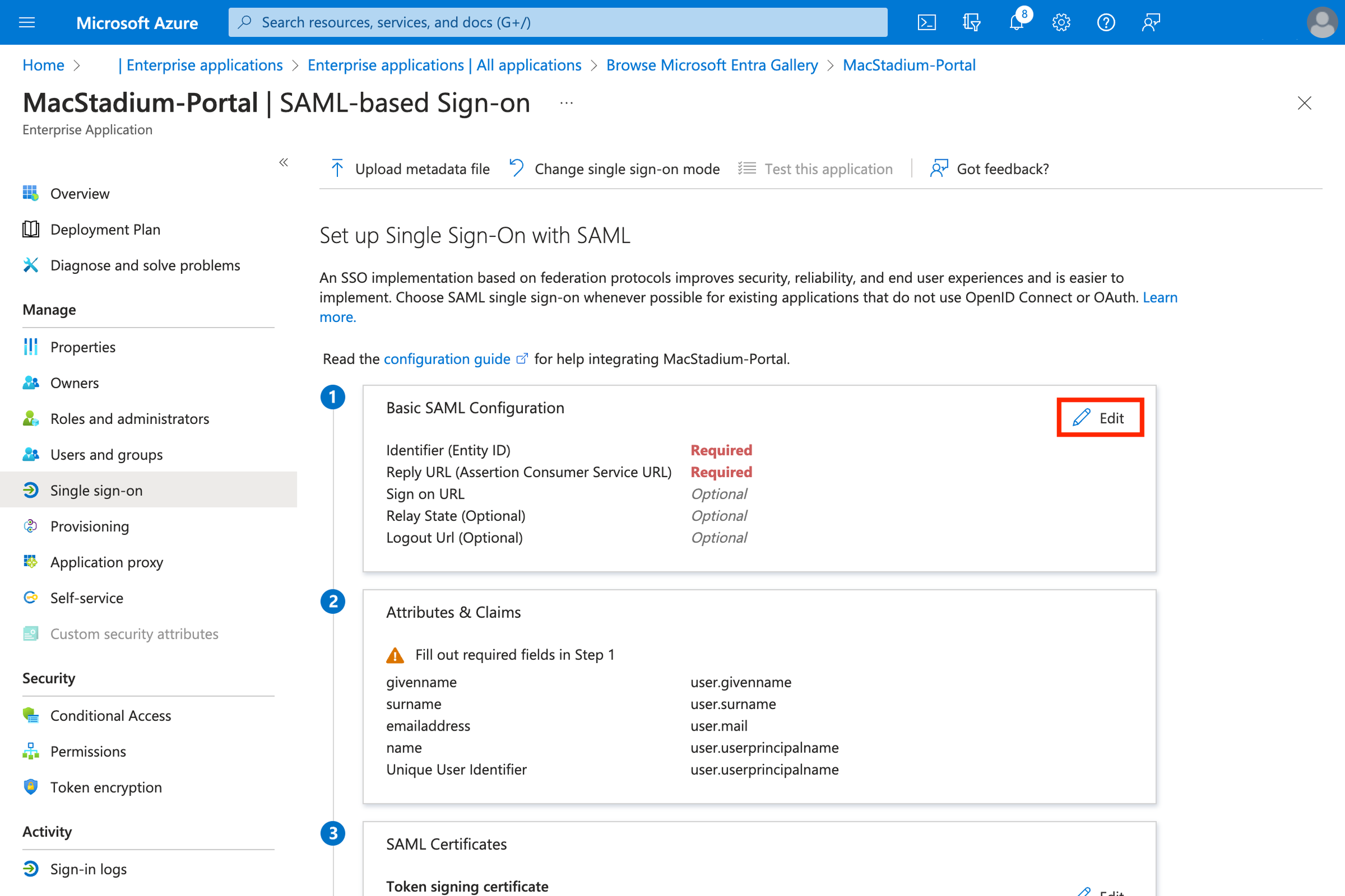
- Configure the SAML settings:
- Identifier (Entity ID):
urn:amazon:cognito:sp:us-east-1_pusi8jHs1 - Reply URL (Assertion Consumer Service URL):
https://idp.macstadium.com/saml2/idpresponse - Logout URL (Optional):
https://idp.macstadium.com/saml2/logout - Click Save
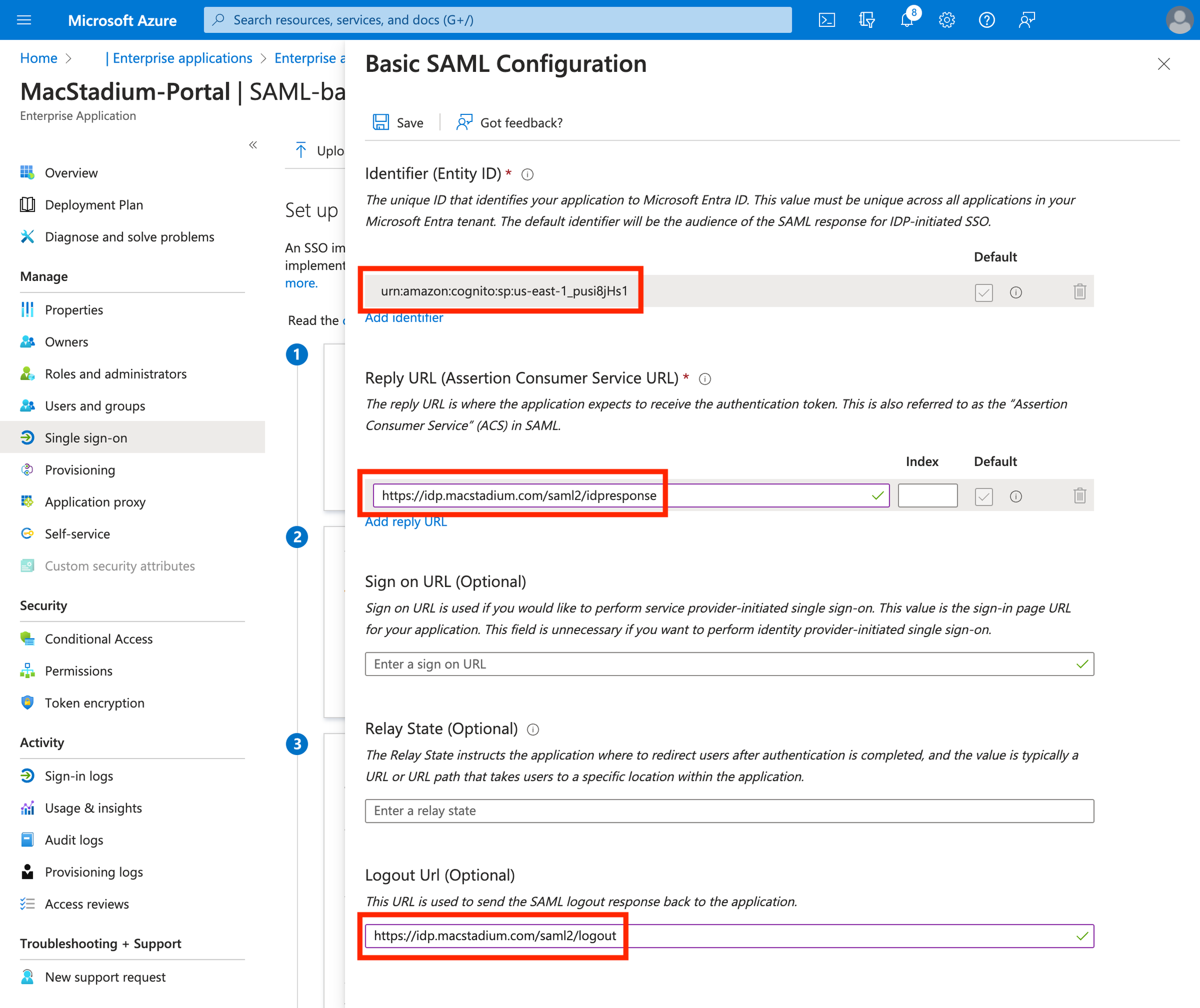
- Identifier (Entity ID):
- Edit Attributes & Claims for your SAML app. \
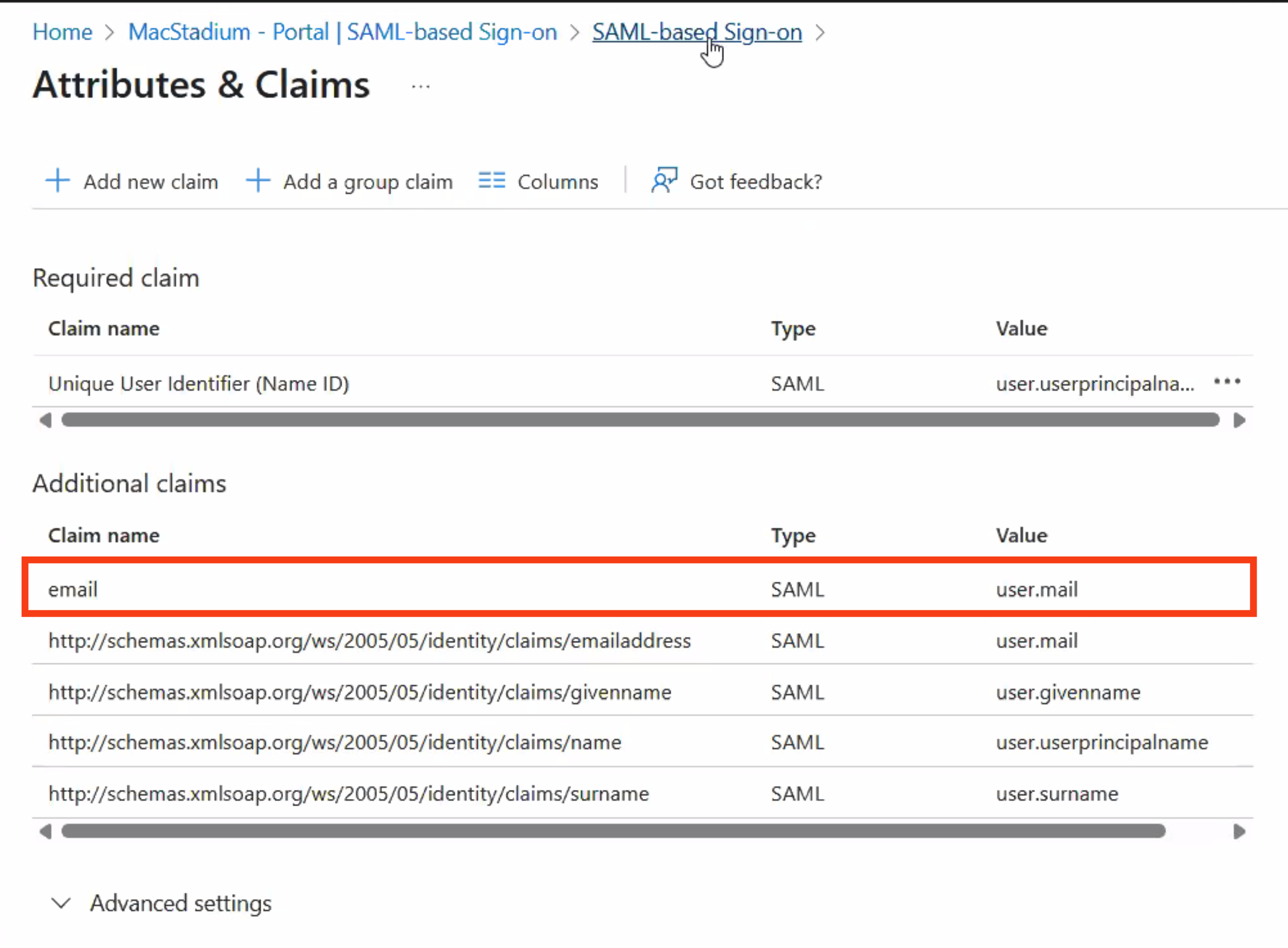
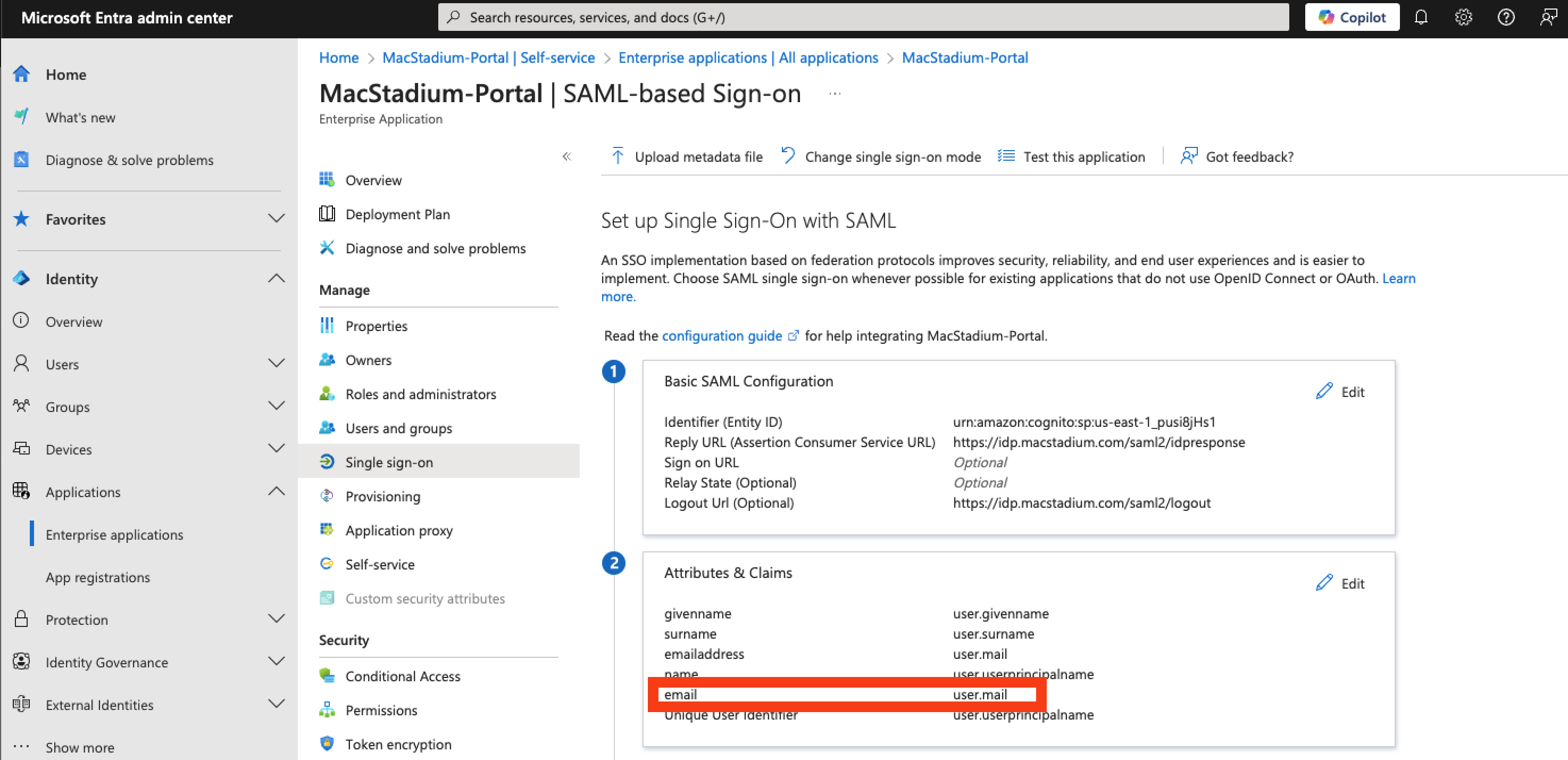
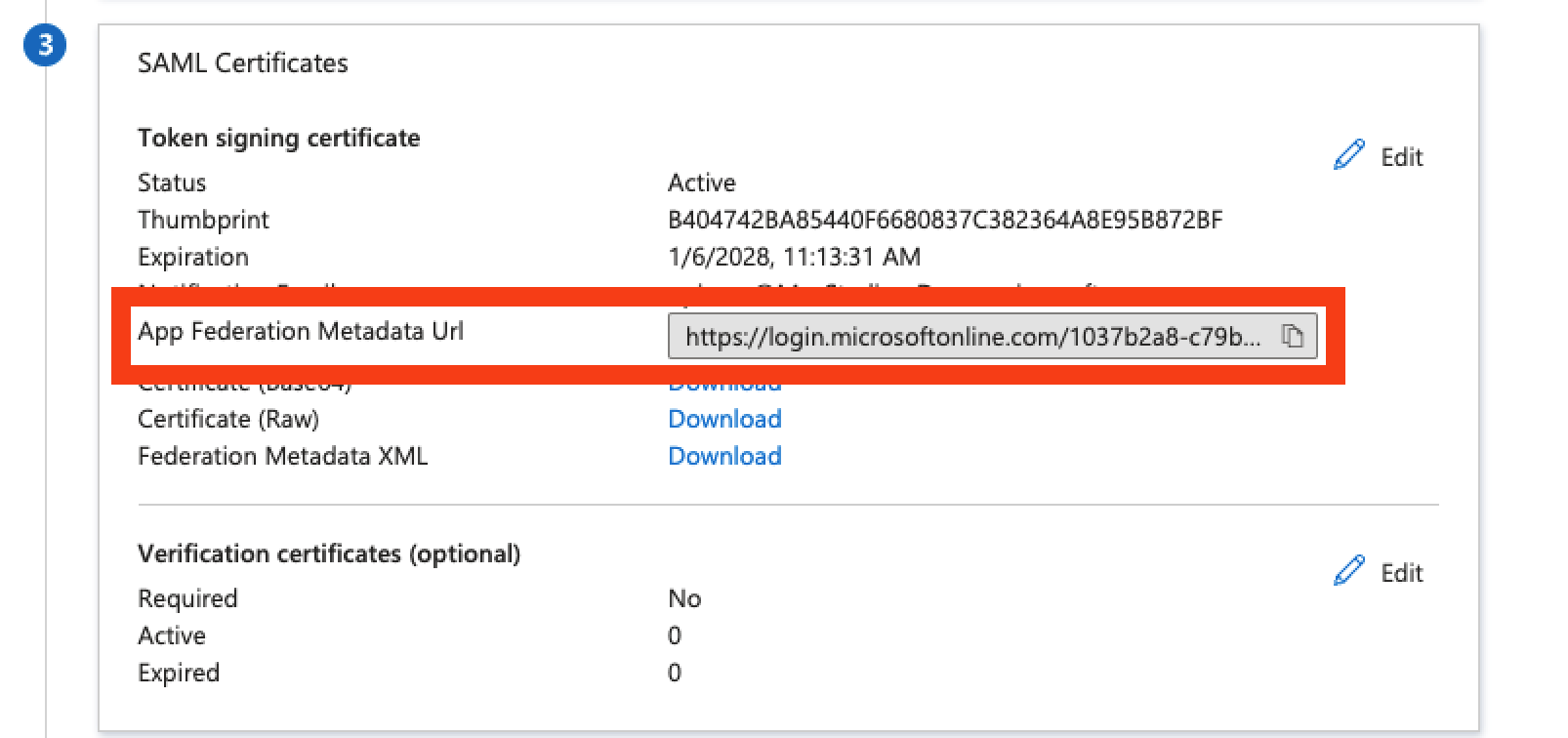
- Once the attributes & claims are updated, please provide our support team with the app federation metadata URL. You can copy the federation metadata URL in section 3 of your SAML app, as shown in the below screenshot.\