

SAML SSO is a paid offering. Contact your account team through the Customer Portal for more information.
- Go to Google Admin Console
-
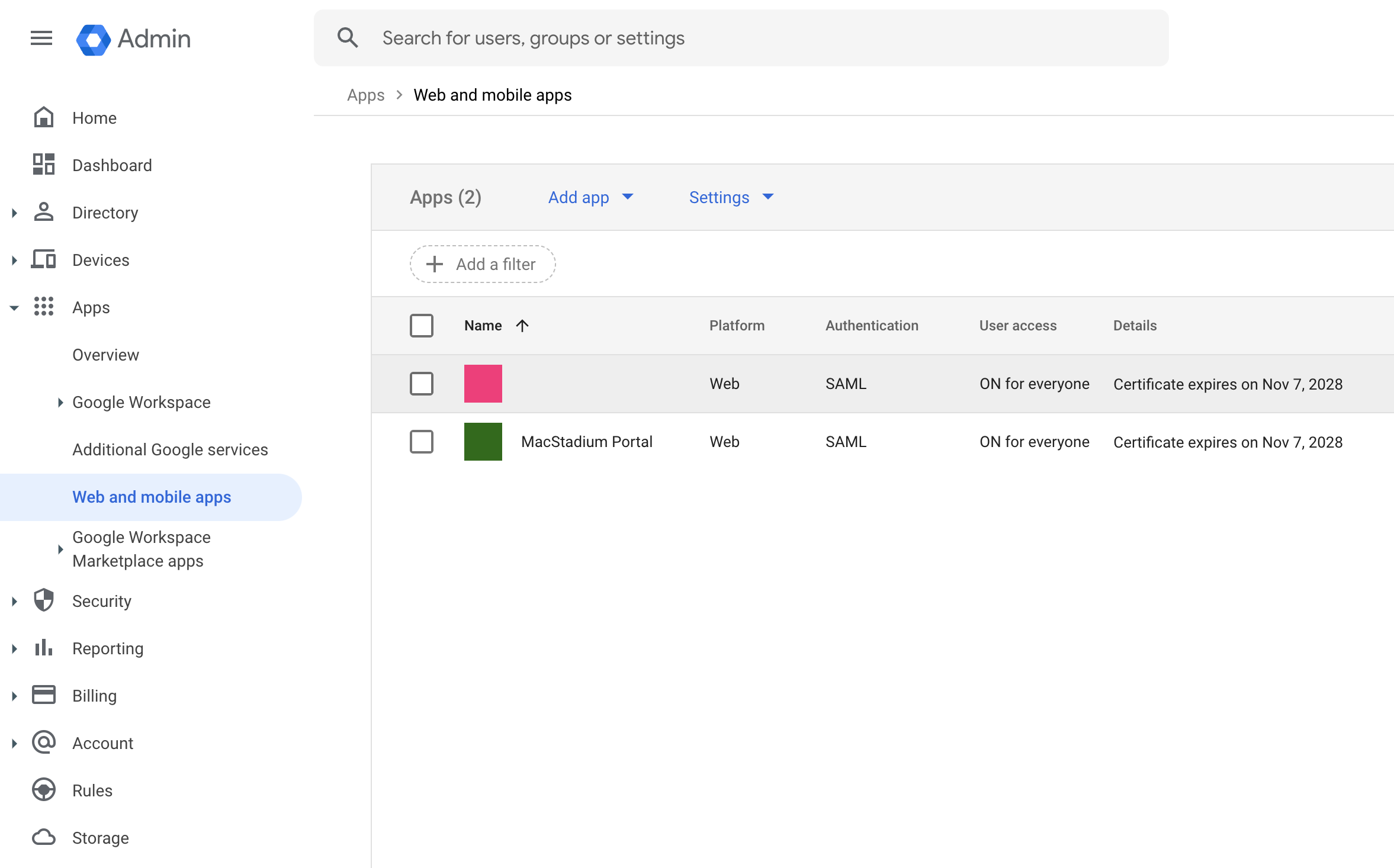
Navigate to “Web and mobile apps” (Apps → Web and mobile apps in the left menu or use this link)\
-
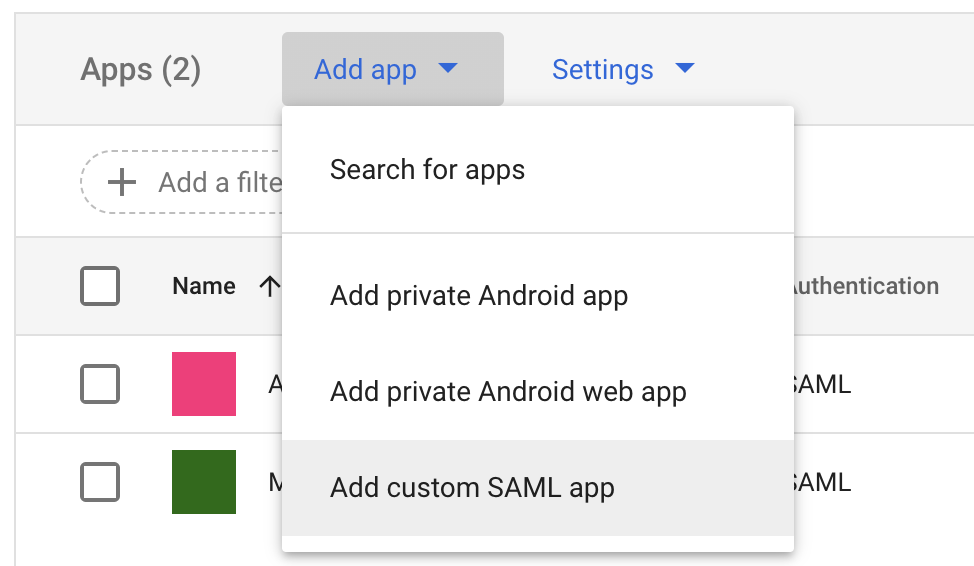
Create a new “Custom SAML App” (click Add app)\
- Enter “App name” (e.g. MacStadium Portal)
-
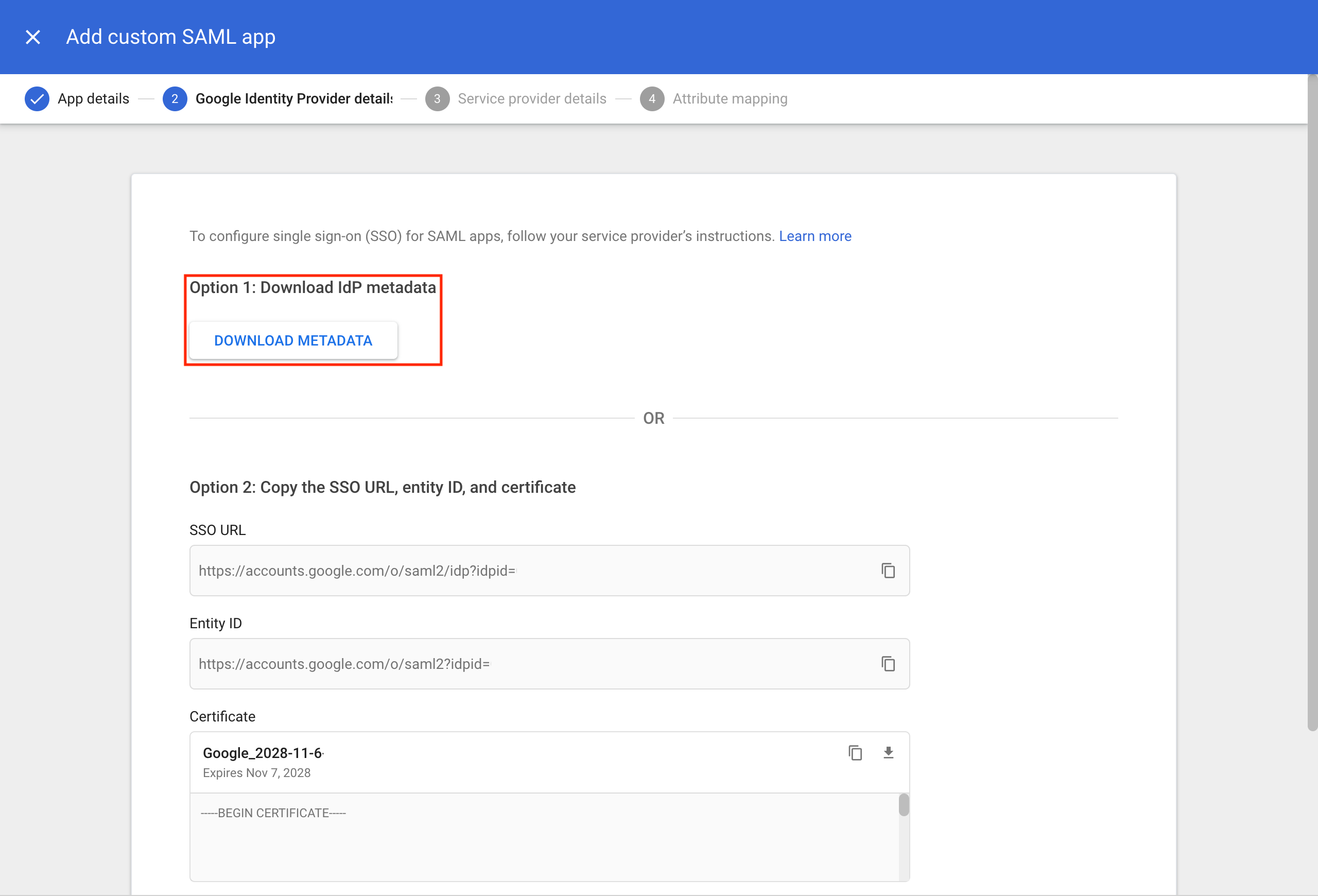
Download the metadata by clicking Download Metadata - Keep this file for sharing with our support team later.\
-
Configure
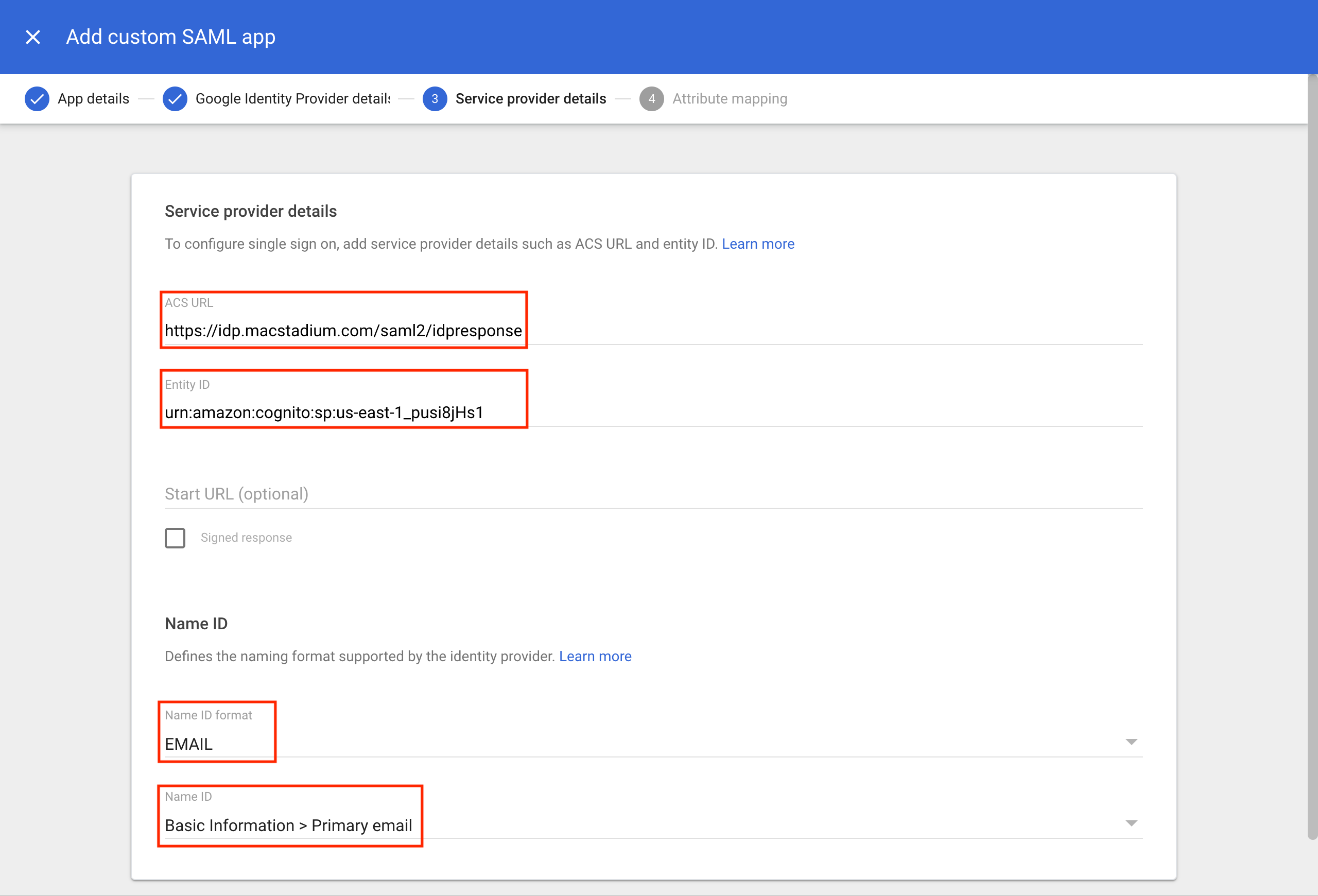
- ACS URL:
https://idp.macstadium.com/saml2/idpresponse - Entity ID:
urn:amazon:cognito:sp:us-east-1_pusi8jHs1 - Configure email mapping with the “Show Advanced Settings” menu
- Select EMAIL for the Name ID Format field
- Select Primary Email for the Name ID field\
- ACS URL:
-
Map Primary email to email\
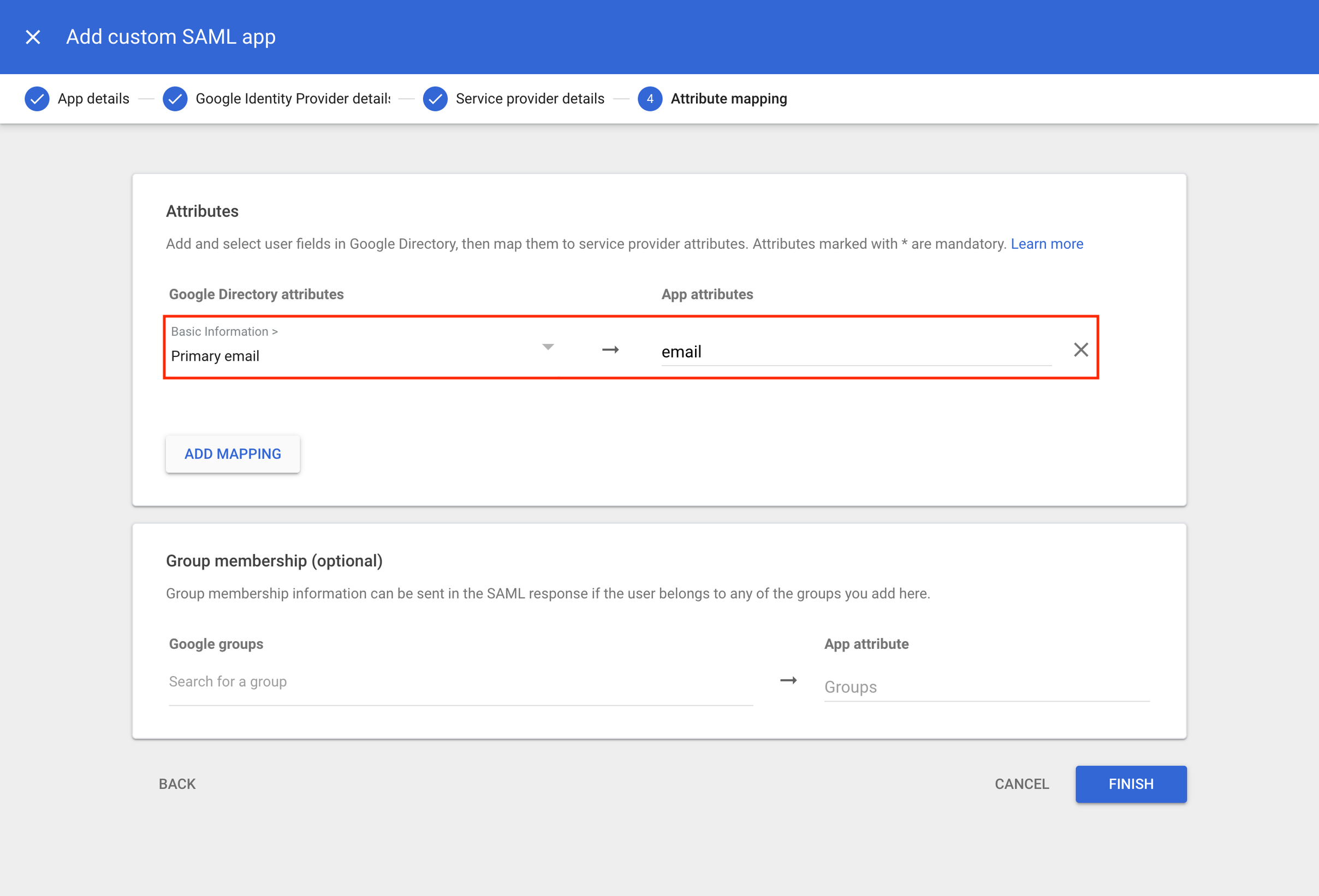
- Click Finish to complete the setup
- Provide our support team with the metadata file from step 5