

Before you begin: You need an active VPN connection to your Orka cluster, your Cisco ASAv connection information (the firewall’s public IP and Credentials) from My Cloud, and the downloaded and prepared VPN configuration file.
- Run Cisco ASDM-IDM and log in.
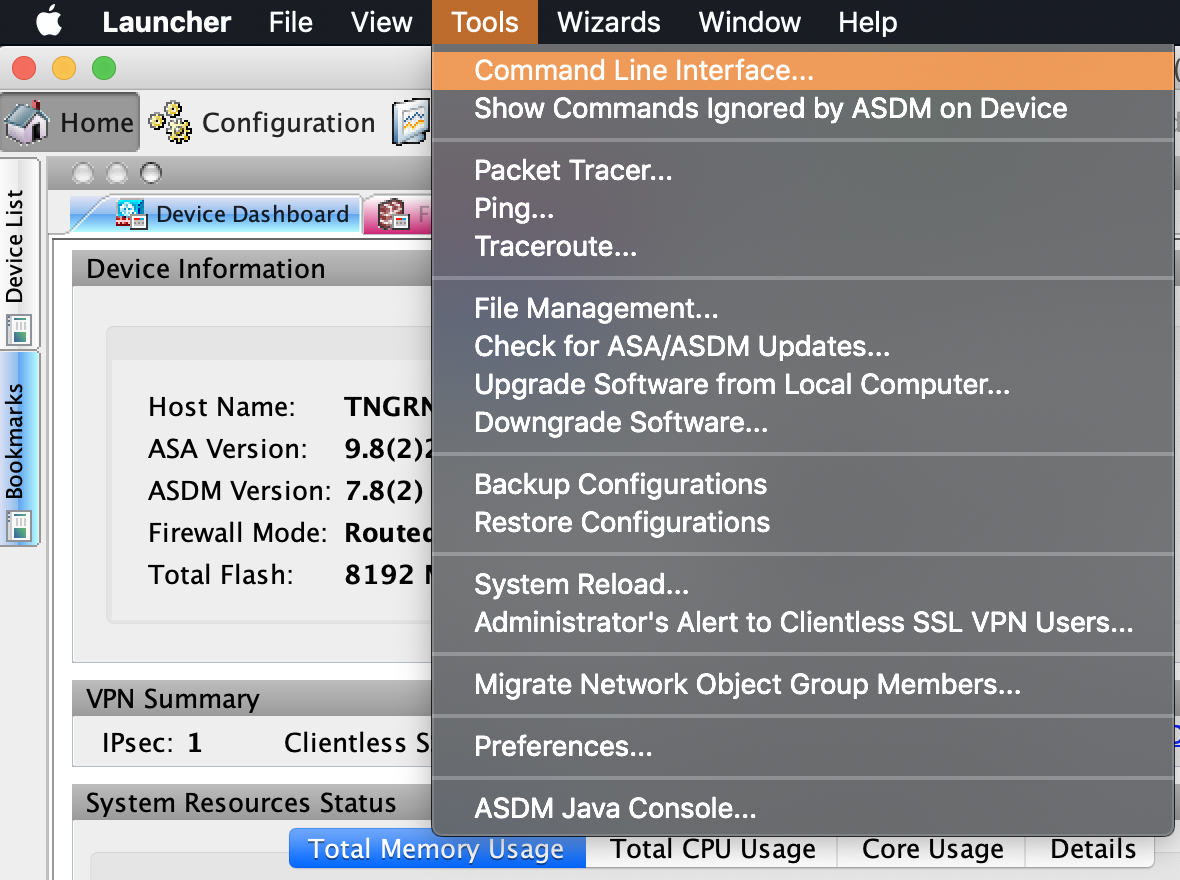
- In the Cisco ASDM-IDM application toolbar, select Tools > Command Line Interface….
- Select Multiple Line.
- Type
configure terminal, pressEnter, and paste the contents of the prepared VPN configuration file. - Click Send.