

Before you begin: You need an active VPN connection to your Orka cluster and your Cisco ASAv connection information (the firewall’s public IP and Credentials) from My Cloud.
Verify that there is an ISAKMP security association between the peers
- Run Cisco ASDM-IDM and log in to your firewall.
- In the Cisco ASDM-IDM application toolbar, select Tools > Command Line Interface….
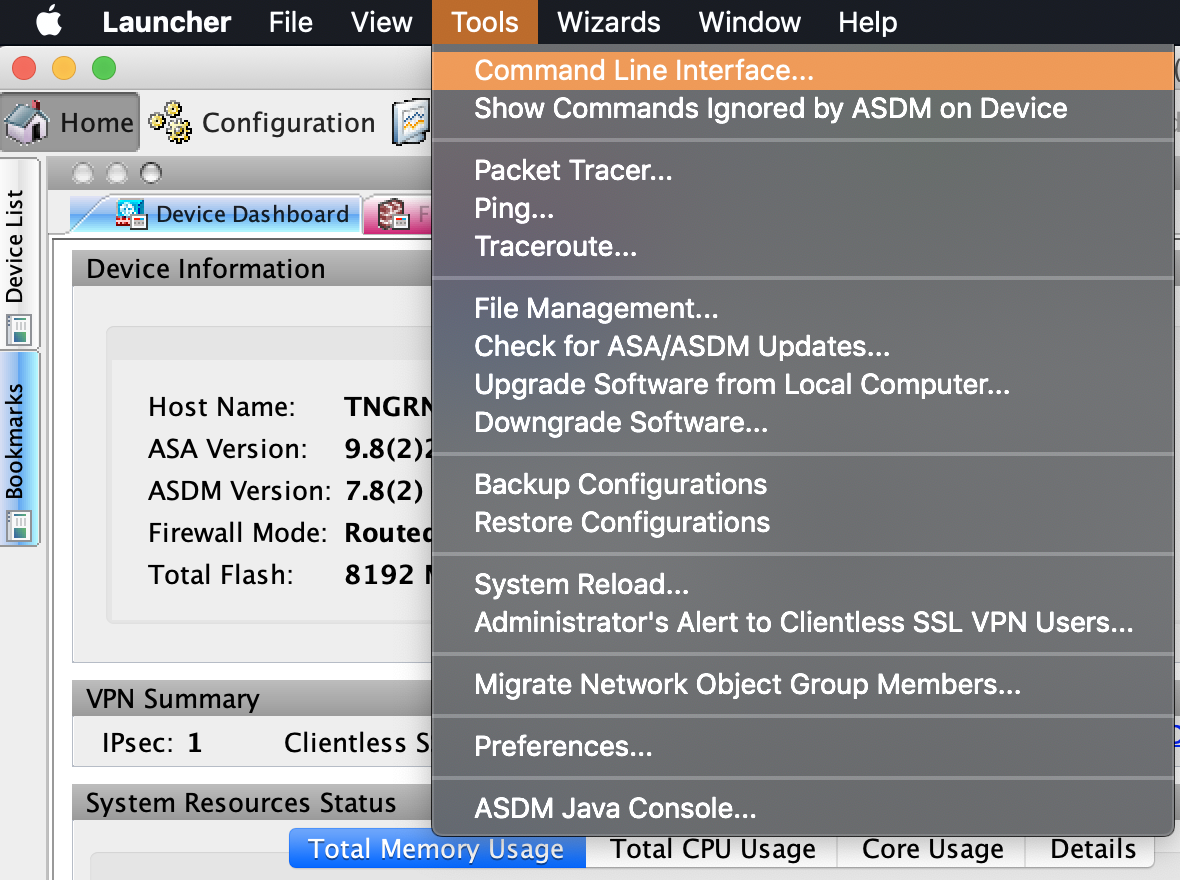
- Select Single Line, enter the following command, and click Send.
Verify that there is an IPsec security association between peers
- Run Cisco ASDM-IDM and log in to your firewall.
- In the Cisco ASDM-IDM application toolbar, select Tools > Command Line Interface….
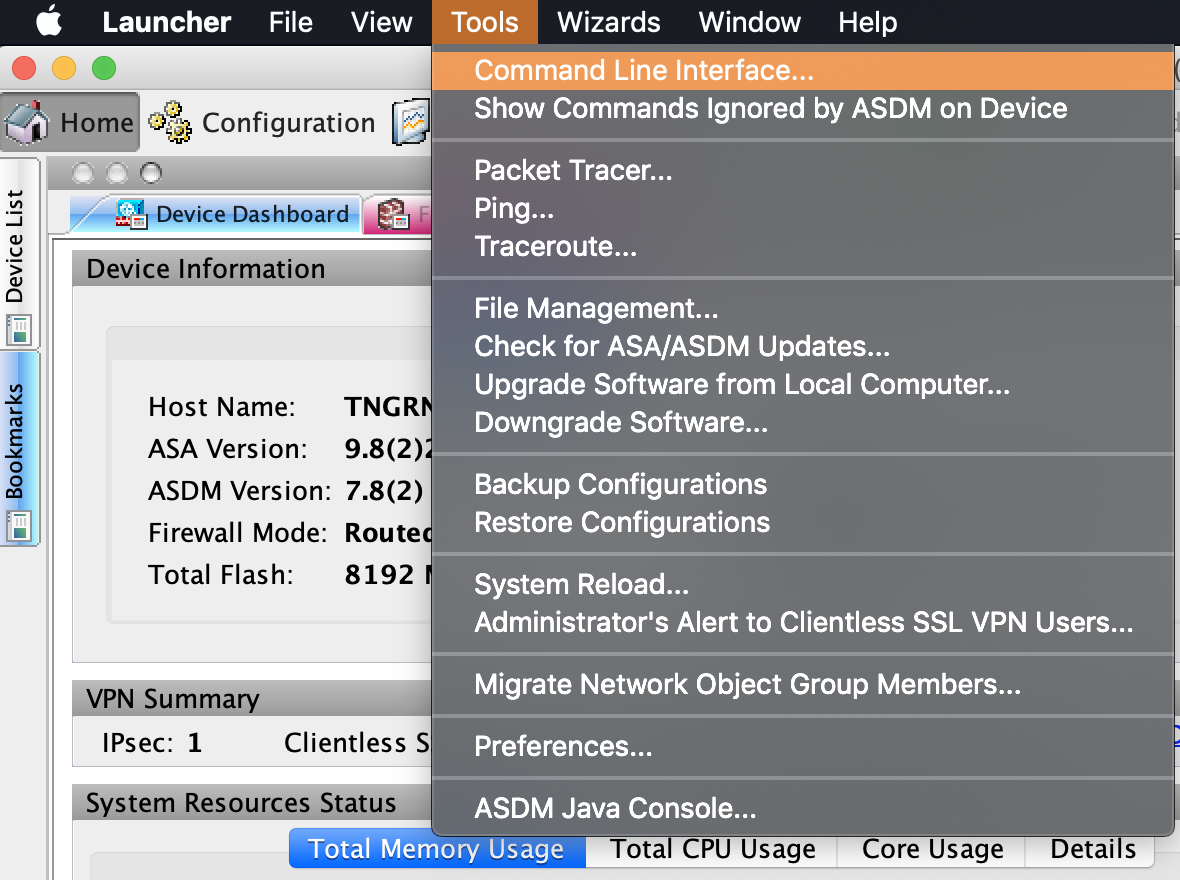
- Select Single Line, enter the following command, and click Send.
Verify that the tunnel is connected
- Log in to your GCP console.
- From the GCP console sidebar, scroll to the Networking section and select Hybrid Connectivity > VPN.
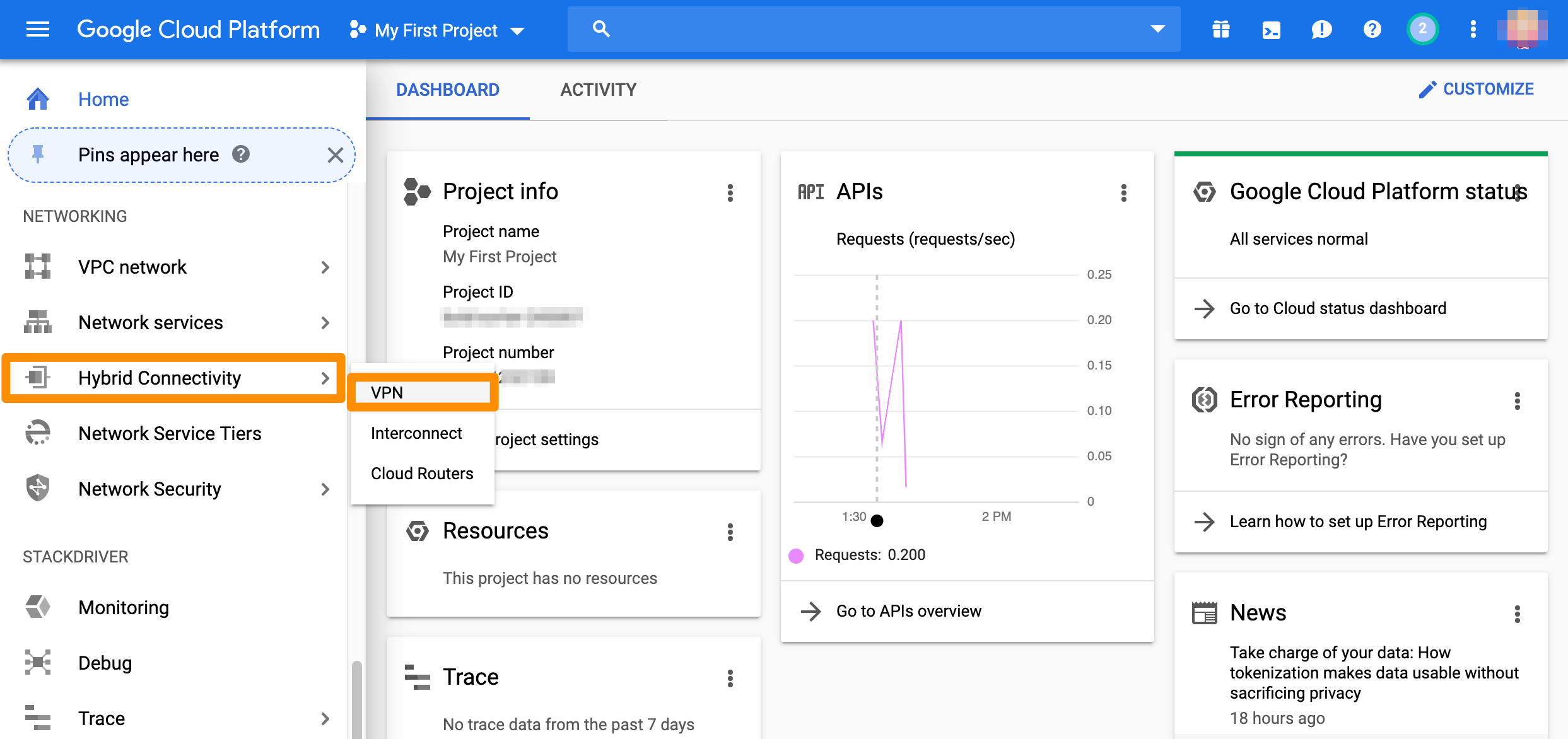
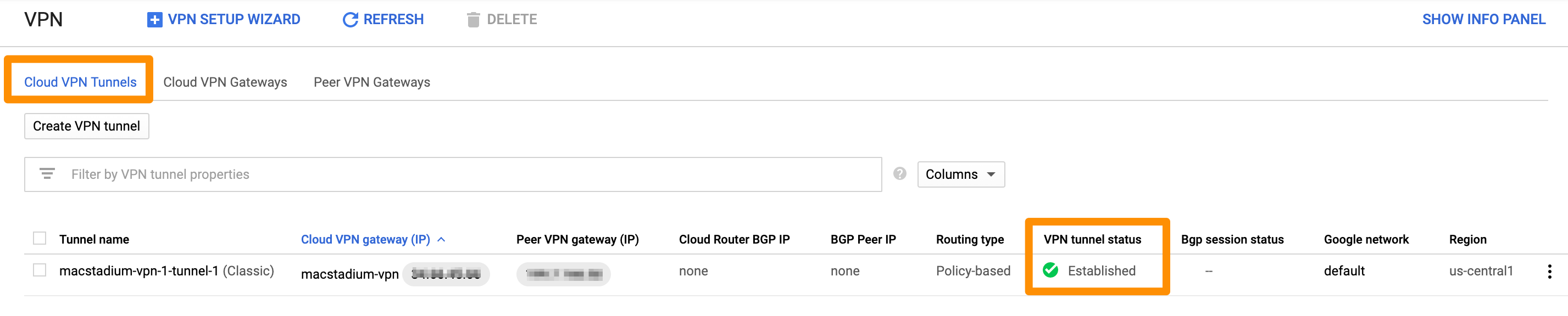
- On the Cloud VPN Tunnels tab, locate the tunnel to MacStadium and check the value for VPN tunnel status. When your tunnel is properly connected, the status is:
Established.
Test traffic and visibility through the tunnel
- Verify that you have created a virtual machine in MacStadium.
- Verify that you have created a virtual machine instance in GCP and that you have enabled user login on it.
For more information about user login on GCP instances, see Google Cloud Documentation: Setting up and configuring OS Login. - In the terminal on your MacStadium VM, run the following command:
<user> with the username for your GCP instance.Replace
<gcp-vm-ip> with the private IP of the GCP instance.
- When prompted, provide your password or key for the specified username on the specified GCP instance.
If the connection is successful, the prefix of the terminal becomes<user>@<gcp-vm-ip>. This indicates that you have connected from Orka to GCP over the tunnel. - Run the following command:
<user> with the username for your Orka VM.Replace
<orka-vm-ip> with the private IP of the Orka VM.
- When prompted, provide your password or key for the specified username on the specified MacStadium VM.
If the connection is successful, the prefix of the terminal becomes<user>@<orka-vm-ip>. This indicates that you have connected from GCP to MacStadium over the tunnel.