

Unrecognized interface during the Cisco ASA/ASAv configuration
Sometimes, the command line interface might returnERROR: unable to find interface “outside”. The command-line interface might be case-sensitive and you might need to preserve the capitalization of the Orka network configuration as provided in My Cloud.
- Clean up the ASA configuration.
For more information, see Cleaning up the ASA/ASAv configuration. - Rename
outsidein your configuration toOutside. - Re-run the complete configuration in Cisco ASDM-IDM.
For more information, see Setting Up the Orka Side of the Site-to-Site VPN.
The tunnel is connected but there’s no traffic between GCP and Orka
If GCP shows that the tunnel isEstablished but there is no visibility and connectivity between the two clouds, it might be because of some common mistakes when preparing the configuration. Check for the following in the site-to-site VPN configuration. For more information, see Preparing the VPN Configuration for Input into Cisco ASA/ASAv.
- Verify that your
{ shared_key }is correct. The{ shared_key }in the configuration must match the key set for the VPN connection. - Verify that you’ve replaced
{ macstadium_network_address }and{ macstadium_network_mask }with the correct values for thePrivate-1network, from thePrivate-1row of the IP Allocation table in My Cloud. - Verify that you’ve configured the NAT exemption rule properly.
- The host and subnet mask required for
ONPREM-NETare the host and mask for thePrivate-1network, from the IP Allocation table in My Cloud. - The host and subnet mask required for
GCP-NETare the host and mask for your GCP virtual network. You need to convert the subnet mask bit notation to the correct subnet mask (e.g., the/16notation converts to a255.255.0.0subnet mask). - The values in the brackets after
natmust be thePrivate-1, followed byOutside.
- The host and subnet mask required for
- Clean up the firewall configuration.
- Make the necessary changes to the configuration.
- Re-run the complete configuration in Cisco ASDM-IDM.
There’s traffic from GCP to Orka but you cannot access GCP from Orka
Sometimes, you might be able to establish an SSH connection from GCP to Orka but you might not be able to see or access GCP from Orka. This might be due to any of the following issues:- The GCP firewall is not configured to allow ingress traffic.
For information about how to enable ingress traffic, see Google Cloud Documentation: Configuring firewall rules > Example configurations. - Your GCP instances don’t allow OS login.
For more information about user login on GCP instances, see Google Cloud Documentation: Setting up and configuring OS Login.
Troubleshooting
Cleaning up the ASAv configuration
Sometimes, you might need to clean up the Cisco ASAv configuration and start over.- Verify that you are connected via VPN to your Orka cluster.
- Run Cisco ASDM-IDM and log in to the firewall.
- In the Cisco ASDM-IDM application toolbar, select Tools > Command Line Interface….
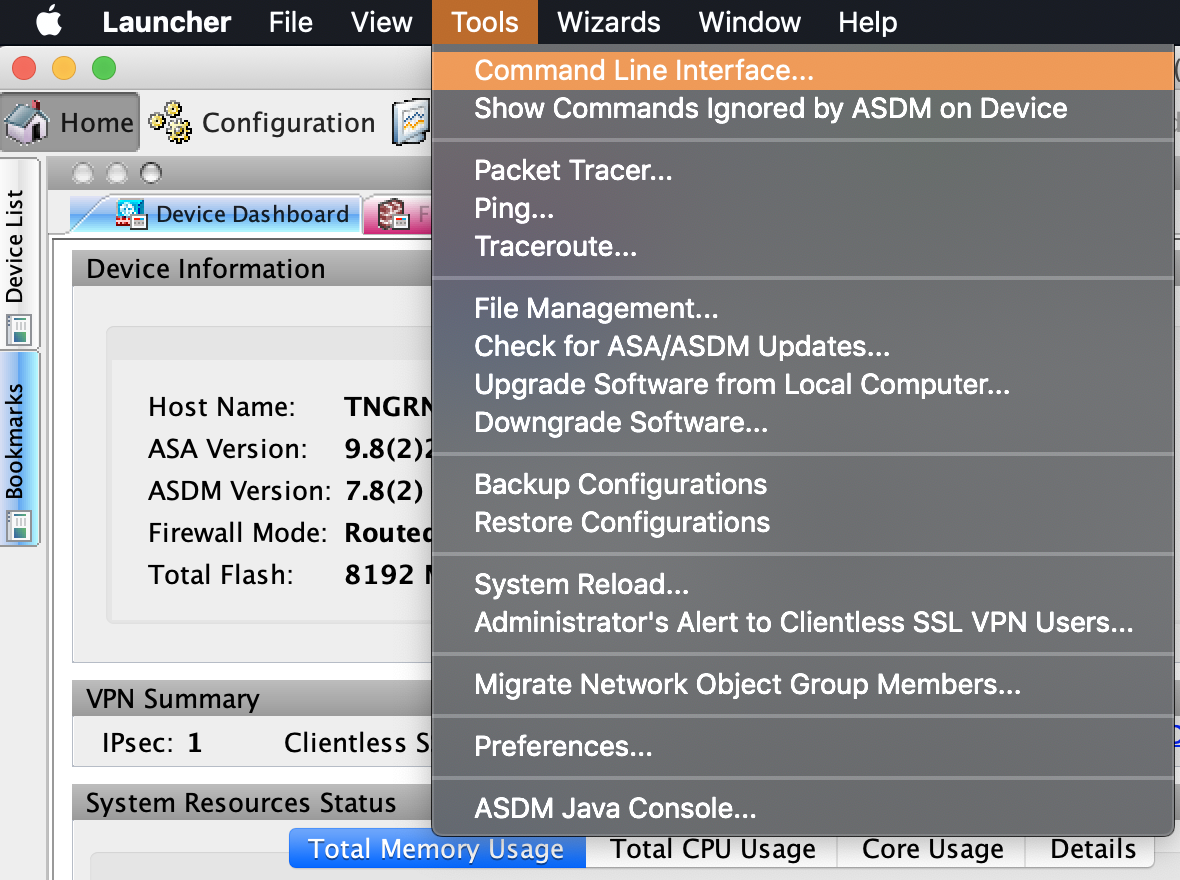
- Select Single Line.
- Run the following commands one by one, clicking Send in between. Replace the placeholders with their respective values. Use Table 1: Placeholders for reference.